Viewers and file formats
This page lists, viewer by viewer, the files the web app shows, how to write them from your code, and the options you can give the viewer. To choose which files to show, see Visualizations. How people use the viewers is in the user guide: images, videos, and plots, flame graphs, 3D and more.
A viewer's options go next to the visualization's path:
outputs:
  visualizations:
    - name: Latency percentiles
      path: latency_cdf.plotly.json
      side_by_side: false   # an option of the plot viewer
Images
Files: .png, .jpg, .jpeg, .bmp, .tif, .tiff, .pdf, or any file with type: image/.... Raw formats
(.raw, .dng, .hex) need an image server that reads them.
An IIIF image server decodes the images and sends them tile by tile: the viewer only loads what it shows, even for the 113 MP test wall of the camera ISP example.
- Write lossless images when you compare values. JPEG changes the values your code computed. The camera ISP example saves its output as PNG, for the difference of the images, and its intermediate stages as JPEG, which are smaller.
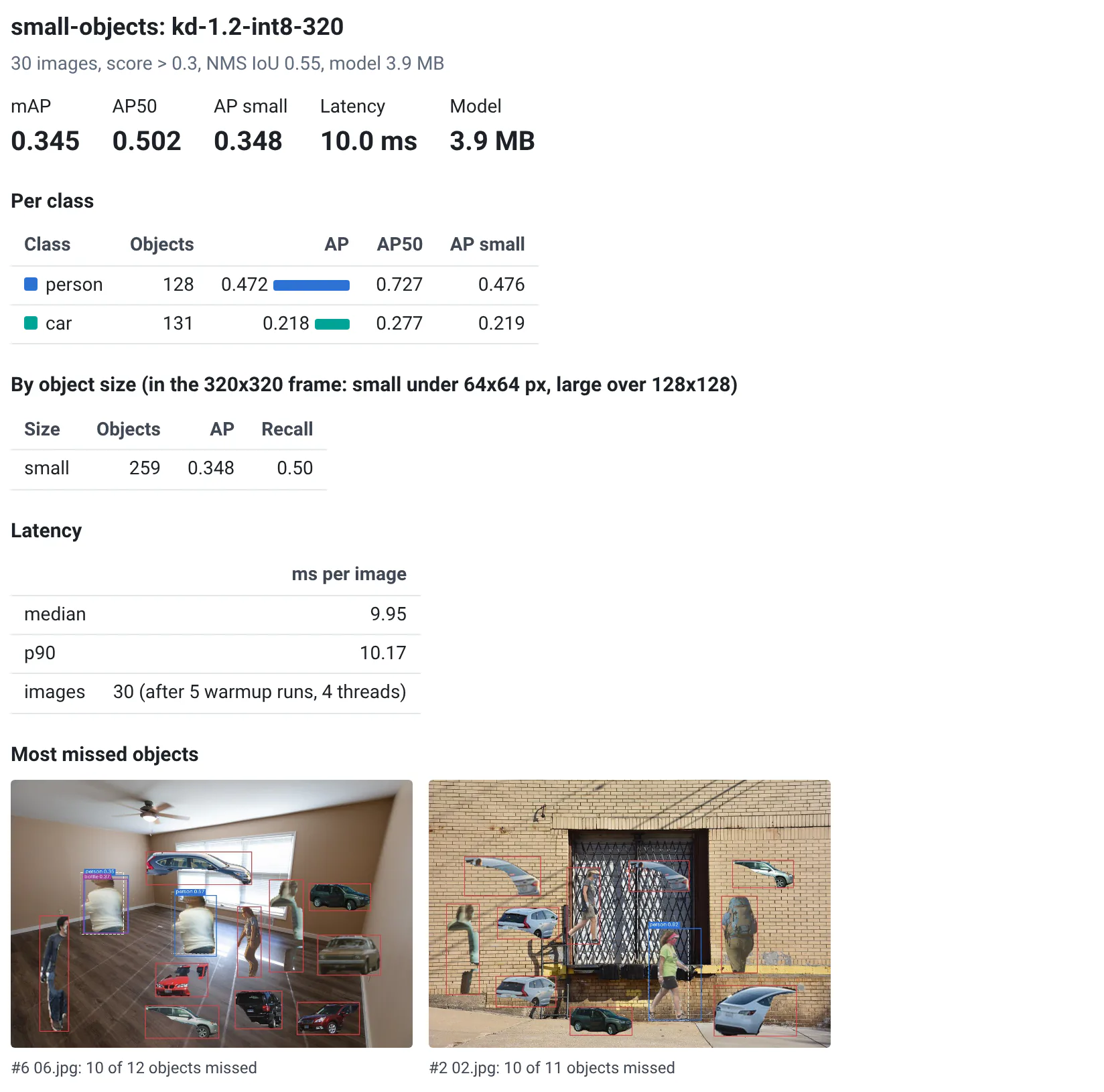
- Draw your debug information in the images, like detection boxes or what a model missed: the viewer compares them like any other image.
- Raw formats: admins send some extensions to another IIIF server, one that reads them, with
QABOARD_IMAGE_SERVERS(see environment variables). - Pixel values: for signed-in users, the server reads the images' own values, e.g. 16-bit ones, with Pillow. For raw formats, it needs a reader that QA-Board doesn't include.
- Raw images by channel of the sensor: the analysis panel measures the images' own values per channel of their
color filter array (see the user guide). It guesses the CFA from the
pixels; when the server's image reader returns metadata, it uses the pattern (
pattern:GRBG...), the cell size (samplePerPixel:2x2...), the bit depth (imageType:UI10...) and the black level (pedestal). Readers with other names for them: add them tobackend/backend/sensor.py. - The viewer is a React component you can use in your own apps, with images from any server: see its README.
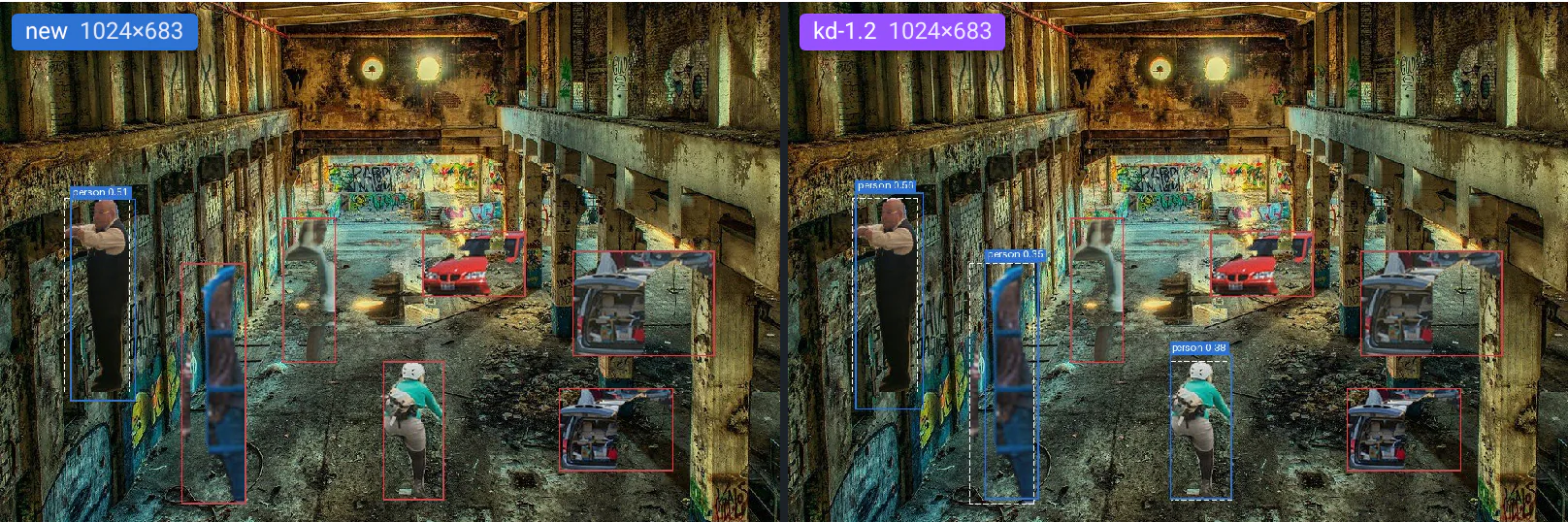
If a run saved both image.png and image.tiff, a visualization of image.png shows the TIFF. When the reference run doesn't have the file, the viewer falls back to the reference's .tiff, then .bmp, of the same name: it helps compare results across a change of output format.
Videos
Files: .mp4, .m4v, .mov, .webm, .mkv, .ogv, animated .webp and .gif, or any file with
type: video/....
Browsers play H.264, VP9 and AV1 videos, in .mp4 or .webm files. Other codecs (e.g. HEVC/H.265, MPEG-4 part 2) or containers (e.g. .avi) show an error: convert them when your code writes them, for instance with:
ffmpeg -i input.avi -c:v libx264 -pix_fmt yuv420p -movflags +faststart output.mp4
+faststart lets a video start playing before it's fully downloaded. Animated .webp and .gif files are compared
the same way, but your browser plays them on its own: they are not synced.
For signed-in users, QA-Board's server reads the files with FFmpeg: the timestamp of every frame (frames are numbered like in the file, also with variable frame rates), their decoded values, and where two videos differ. It reads any format FFmpeg reads, but your browser still has to play the video.
To compare exact values, write lossless videos: lossy codecs change the values your code wrote, and 4:2:0 stores colors at half resolution. Browsers play lossless VP9:
ffmpeg -i frames/%04d.png -c:v libvpx-vp9 -lossless 1 -pix_fmt yuv444p output.webm
Without the server's timestamps, QA-Board finds a video's frame rate when it plays, or when you step through its frames. If it guesses wrong, set it. You can also give an image to show before the video loads:
outputs:
  visualizations:
  - name: Camera
    path: camera.mp4
    fps: 30
    poster: camera.jpg  # default: poster.jpg, if the run created it
Like images, videos can show what your code knows: the robotics example draws the path so far next to each depth frame.
Plots
Files: .plotly.json, a Plotly figure saved as JSON (its data and
layout), or .plotly.html.
import plotly.graph_objects as go

def run(context):
    # --snip--
    fig = go.Figure(data=go.Bar(y=[2, 3, 1]))
    (context.output_dir / "graph.plotly.json").write_text(fig.to_json())
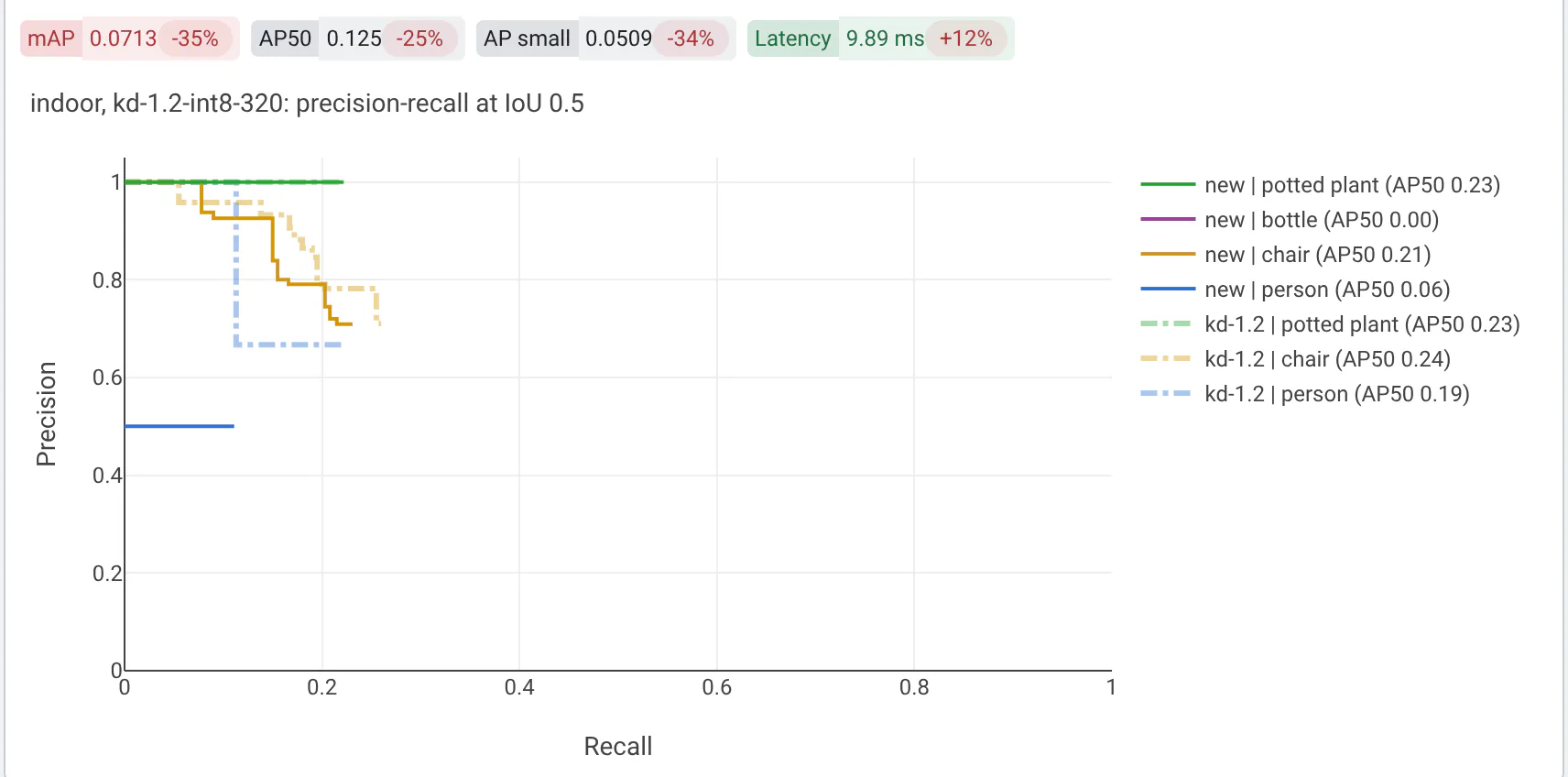
By default the new and reference plots show side by side. With side_by_side: false, the reference run's traces are
drawn on the same axes as the new run's. When your traces set their colors, the reference's keep them, dashed and
faded:
| Option | What it does |
|---|---|
side_by_side | false draws the reference's traces on the new run's axes. Default: true. |
layout | Plotly layout settings that replace the figure's settings of the same name, e.g. title or yaxis. |
path_groundtruth | With side_by_side: false, a file of the new run's folder whose traces are drawn too, as the ground truth. |
Figures saved as HTML, e.g. with fig.write_html('graph.plotly.html'), show side by side in frames: the reference
can't be drawn on the same axes.
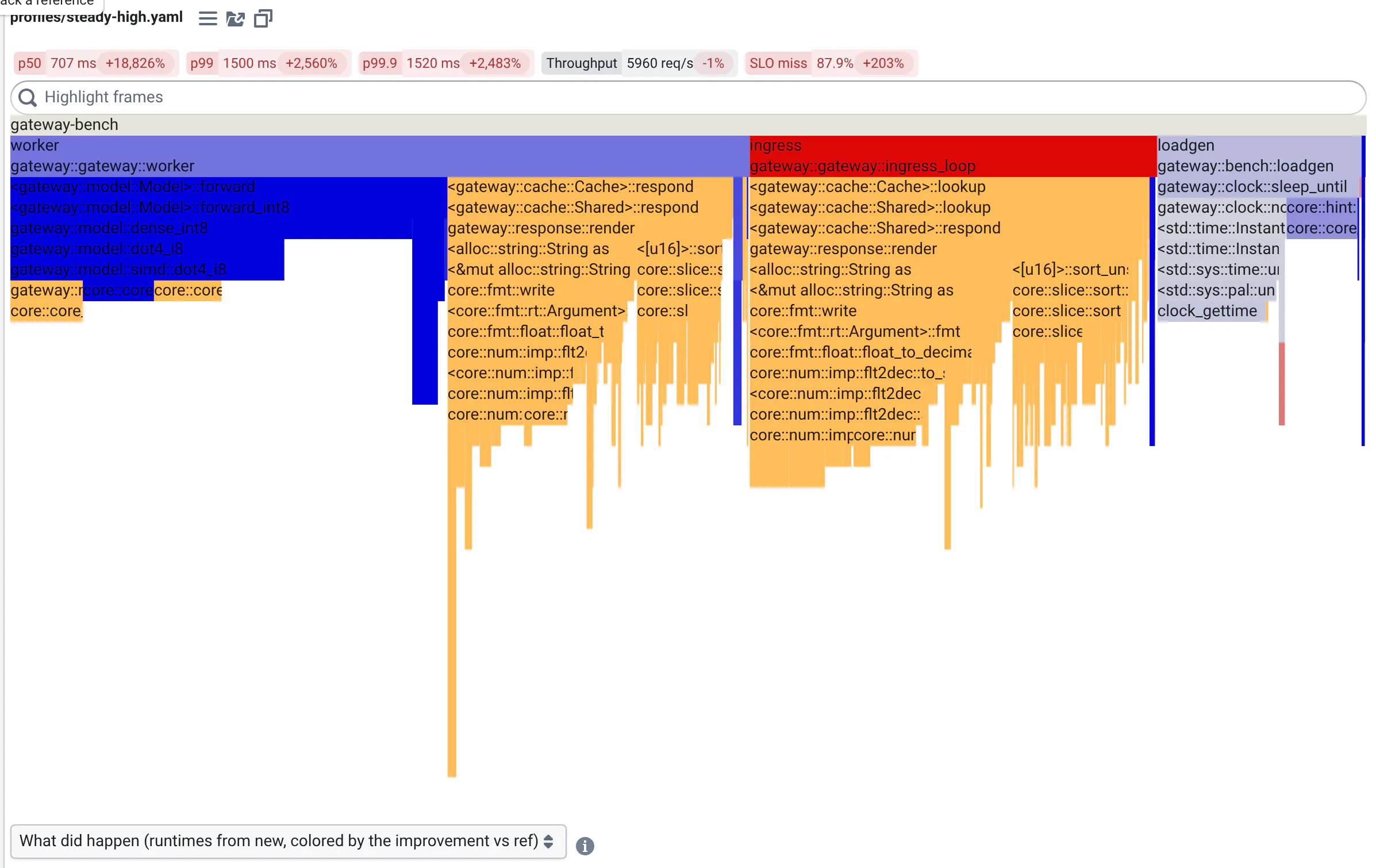
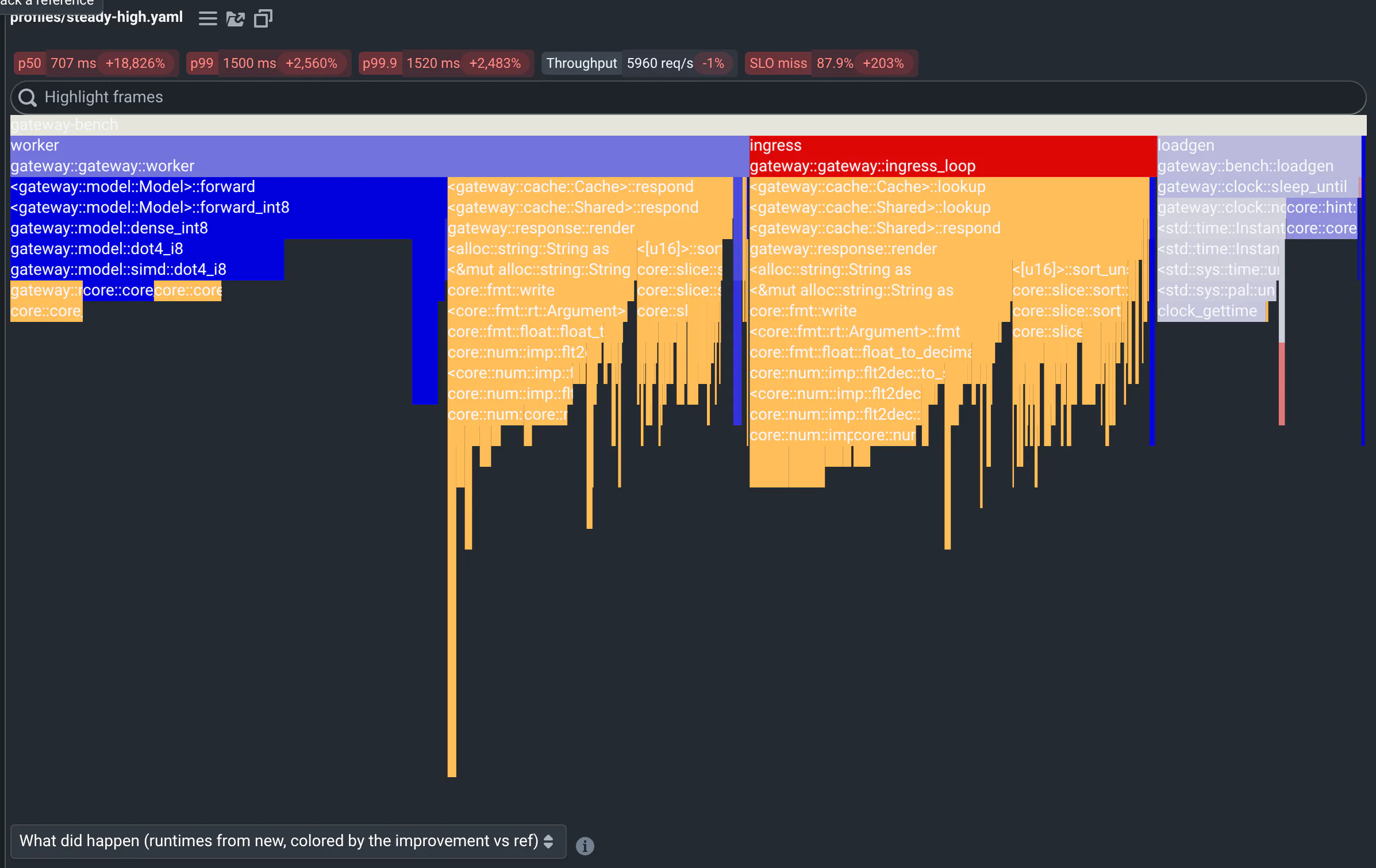
Flame graphs
Files: .flame.json, a tree in d3-flame-graph's format:
{"name": "main", "value": 1200, "children": [...]}, where value includes the children's.
The viewer shows the new run's profile, colored by how each frame changed against the reference: a differential flame graph. It matches frames by their path of names, so:
- keep the names stable between runs: no addresses, hashes or thread numbers;
- use values that compare across runs, e.g. microseconds of CPU per 1,000 requests rather than samples.
The serving latency example turns perf's folded stacks into this file, in
qa/flame.py. To record
profiles, see the flame graphs blog post.
Test reports
Files: junit.xml, *.junit.xml, *-junit.xml, TEST-*.xml (Maven Surefire and Gradle), or any file with
type: junit/xml, in the JUnit XML format that most test runners write:
| Test runner | Writes a JUnit XML report with |
|---|---|
| pytest | pytest --junitxml=junit.xml |
| GoogleTest | ./my_tests --gtest_output=xml:junit.xml |
| CTest | ctest --output-junit junit.xml (one test case per test executable) |
| Maven Surefire, Gradle | target/surefire-reports/TEST-*.xml, build/test-results/test/TEST-*.xml |
| Jest, Go, cargo nextest | jest-junit, go-junit-report, nextest's junit profile |
The viewer shows the run's tests as a tree, compared with the reference run's: new failures, fixed, added, removed, newly flaky and skipped tests, with each failure's message, trace and output. How people use it: Test reports.
outputs:
  visualizations:
    - name: Tests
      path: junit.xml
      height: 440     # the list's height, in pixels
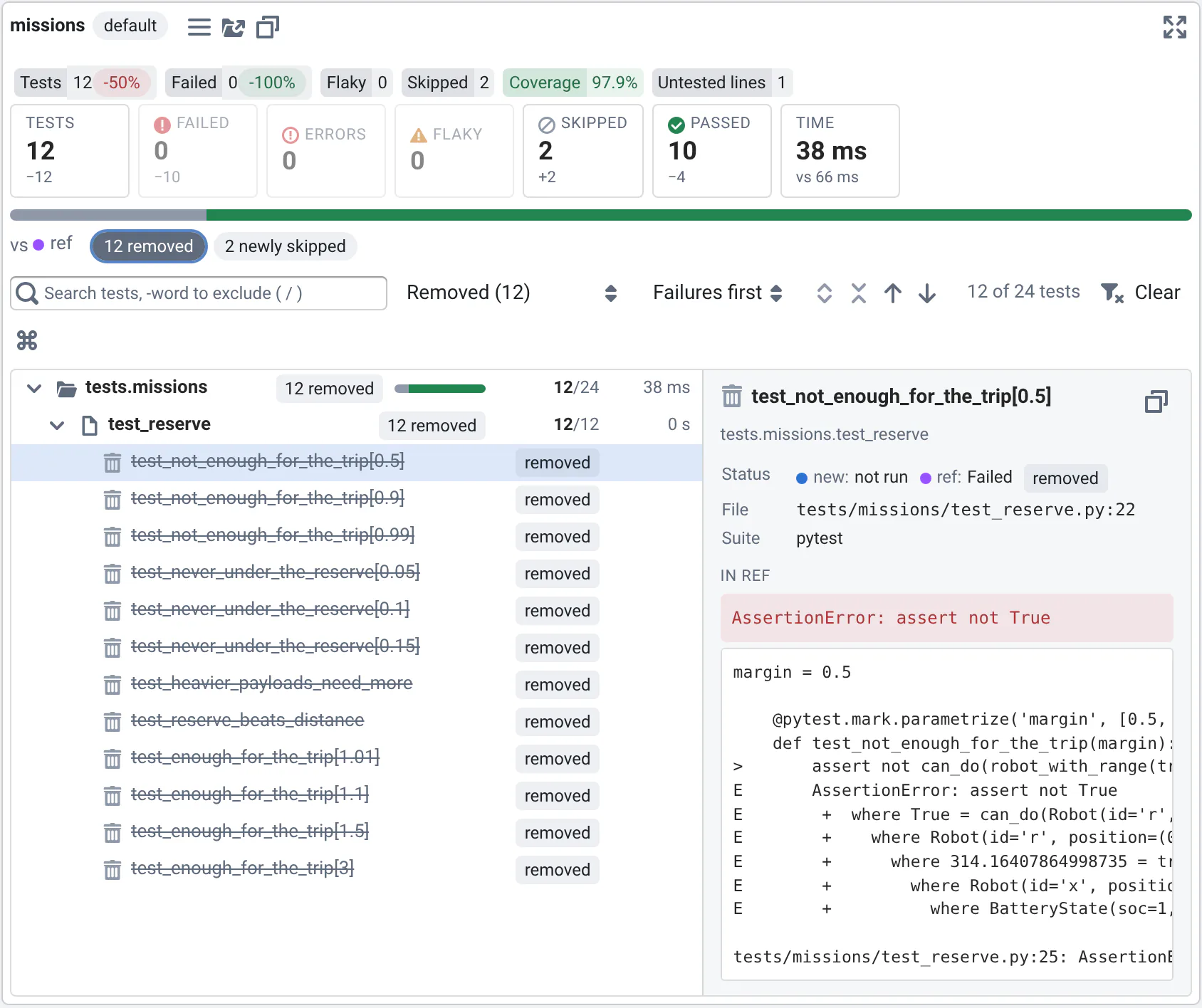
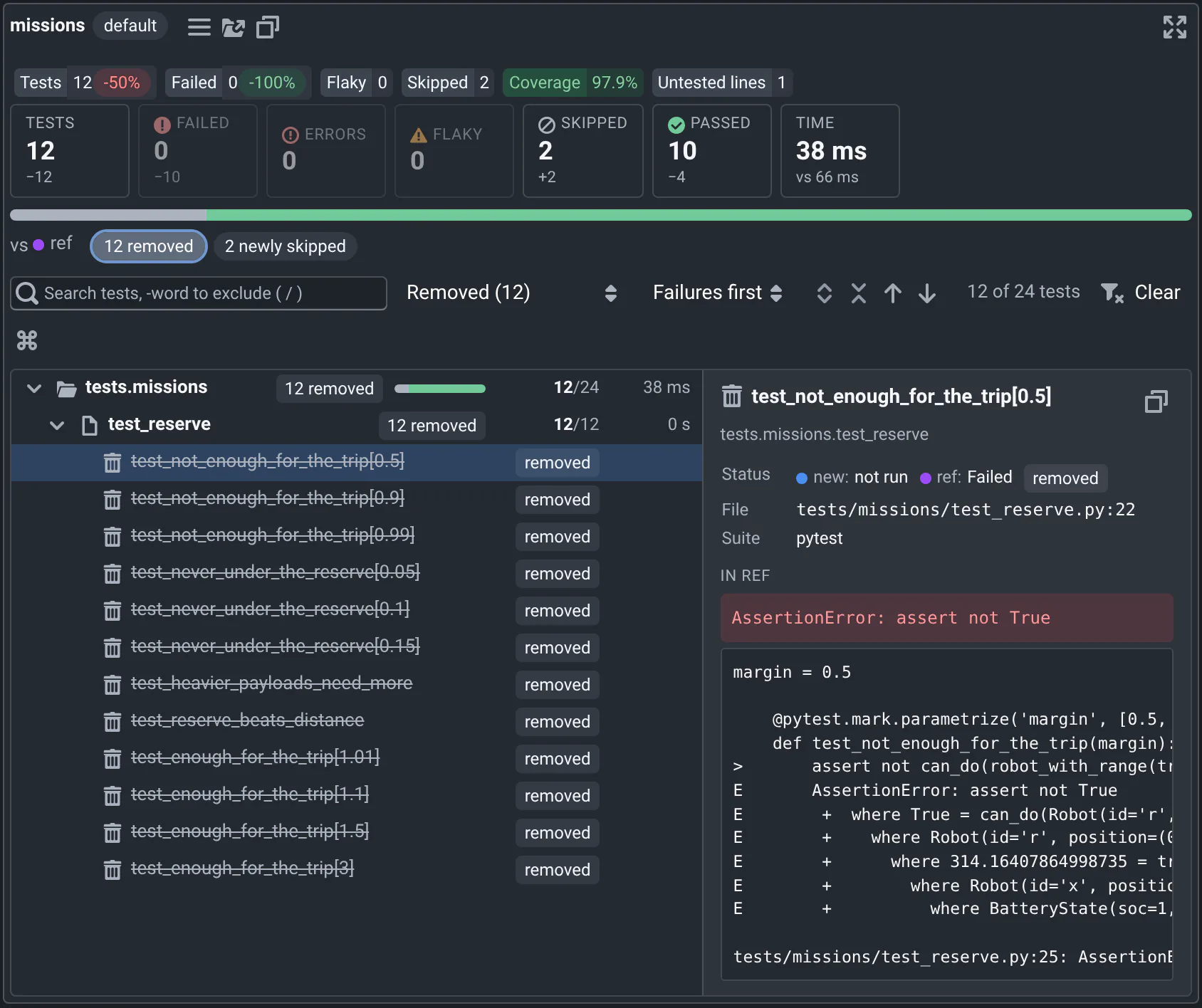
- Make each run a test suite, not a test case, and return the counts as metrics: see Tests and coverage over time. The viewer reads the cases from the report.
- The tree comes from each test's
classname, split on dots:tests.codec.test_varintfor pytest, the test suite for GoogleTest. Groups with a single child are merged, liketests.codec. - Tests are matched by id,
classname::name: keep test names stable, without addresses or random parts. - Flaky tests are those with a
<flakyFailure>or<flakyError>, as Maven Surefire writes them when it reruns failures. If your runner reruns failures another way, rewrite the report: the software quality example does it for pytest. - Skipped tests are those with
<skipped>, and GoogleTest'sDISABLED_tests.
Text
Files: any file no other viewer opens, like .txt, .json, .yaml or .log, or type: text/plain.
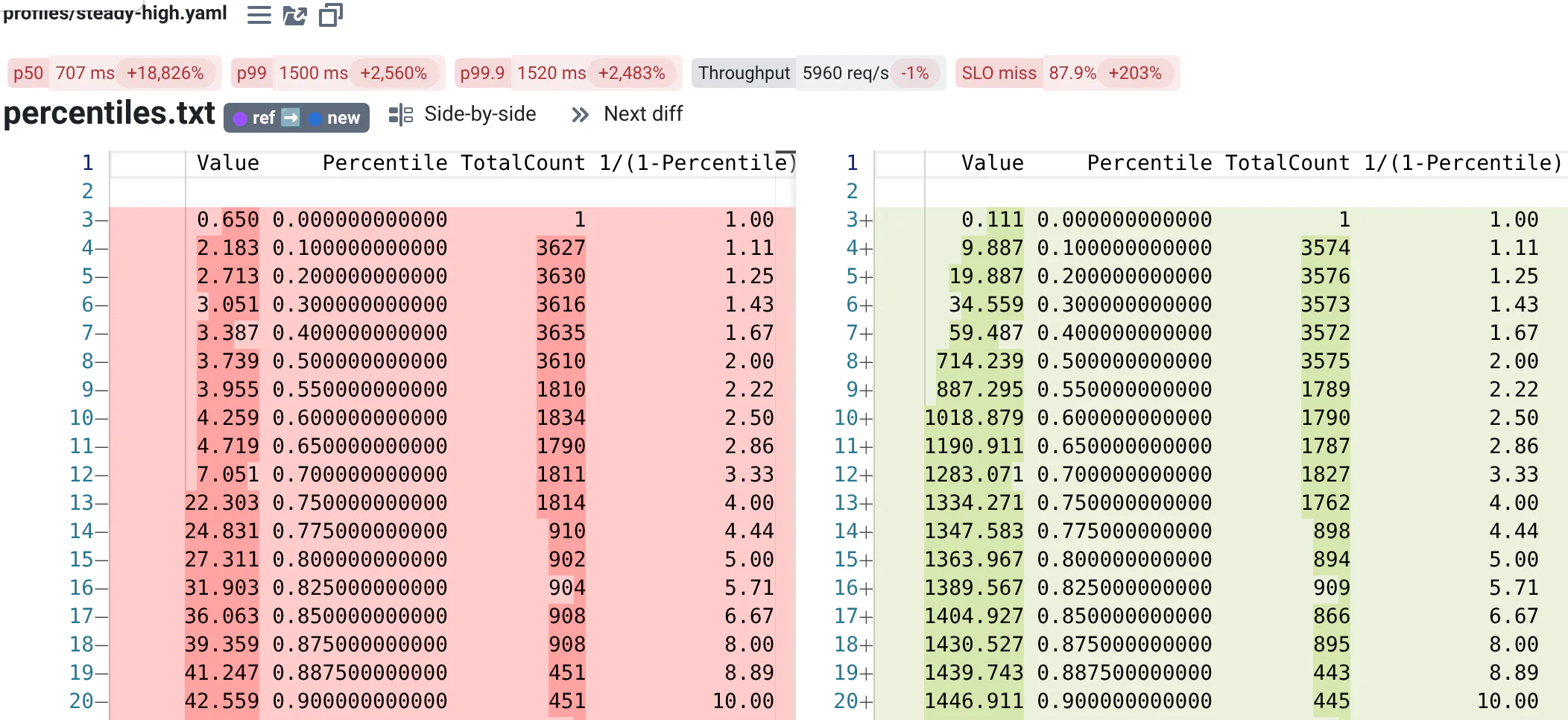
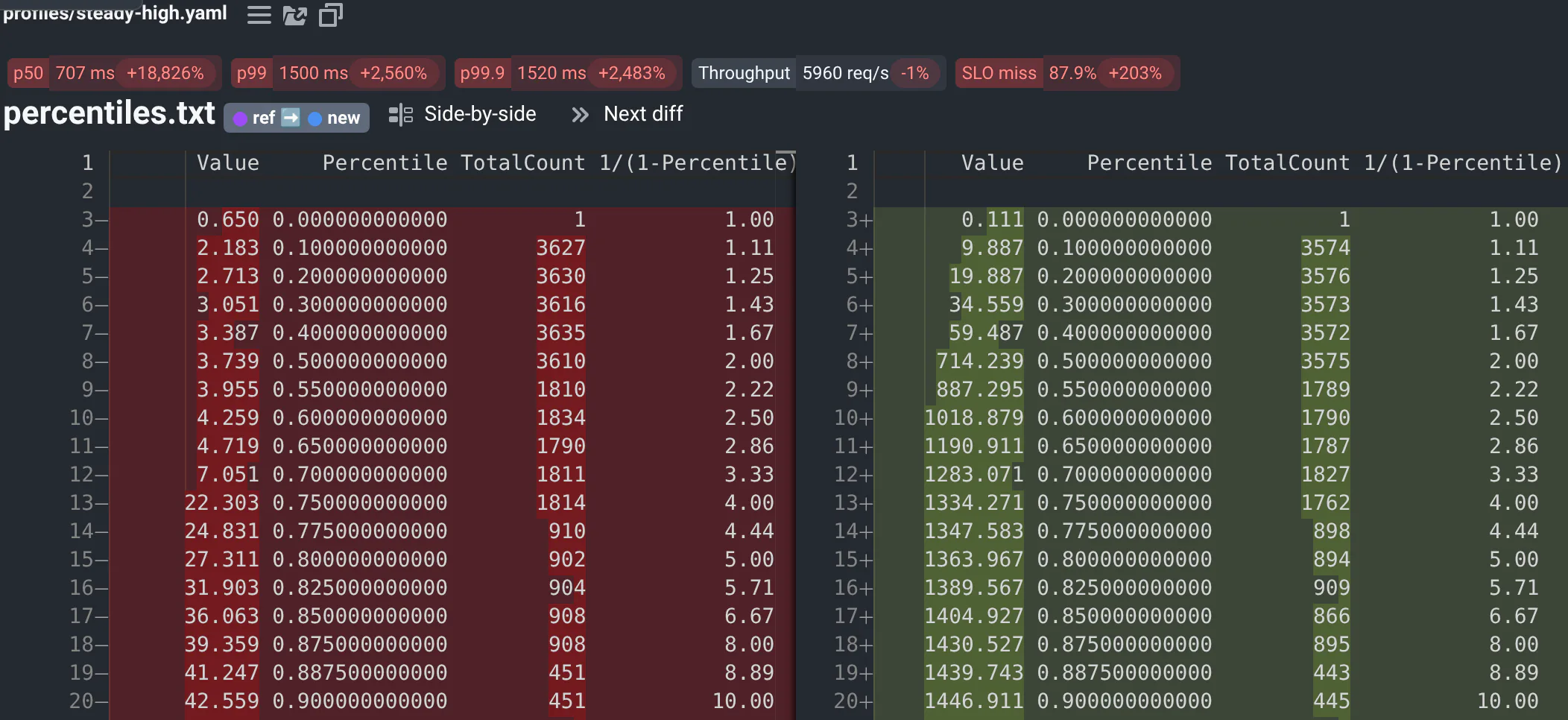
Text files are diffed with the reference's in Monaco, the editor of VS Code. Save what you want people to diff as text: a percentile table, the registers of a hardware model, a transcript.
| Option | What it does |
|---|---|
max_lines | How many lines show before the editor scrolls. Default: 40. |
language | The editor's highlighting, e.g. json, yaml, python. Default: from the extension. |
renderSideBySide | false shows the diff inline. Default: true. |
HTML reports
Files: .html, e.g. reports your code renders.
Each report shows in a frame of its own, the new run's above the reference's. Images and links relative to the HTML file work, and its styles don't change the page. The frame grows to fit the report once it loaded.
By default, HTML and SVG files from runs show in QA-Board's origin: opened in a tab (from the file browser or a link), and figures saved as HTML in the run cards, their scripts run as whoever opens them, with their access. In the HTML viewer, reports show without their scripts. Anyone who can save a run can write such a file.
Server admins close this by setting QABOARD_SANDBOX_HTML=true, for the backend and the proxy (with Docker Compose, in
your env file or .env; with the helm chart, config.QABOARD_SANDBOX_HTML):
- In the run cards, reports with scripts, and figures saved as HTML, run sandboxed, in an origin of their own: their scripts run (e.g. to draw charts) but can't read QA-Board's pages, cookies or local storage, or call its API as the user. What they load is requested without the user's session: if your server restricts who can read files, they can't load files of restricted projects. Reports without scripts load them as usual.
- Opened in a tab, HTML and SVG files show in QA-Board's origin, but their scripts don't run. To see a report's charts, open it in QA-Board.
Point clouds and trajectories
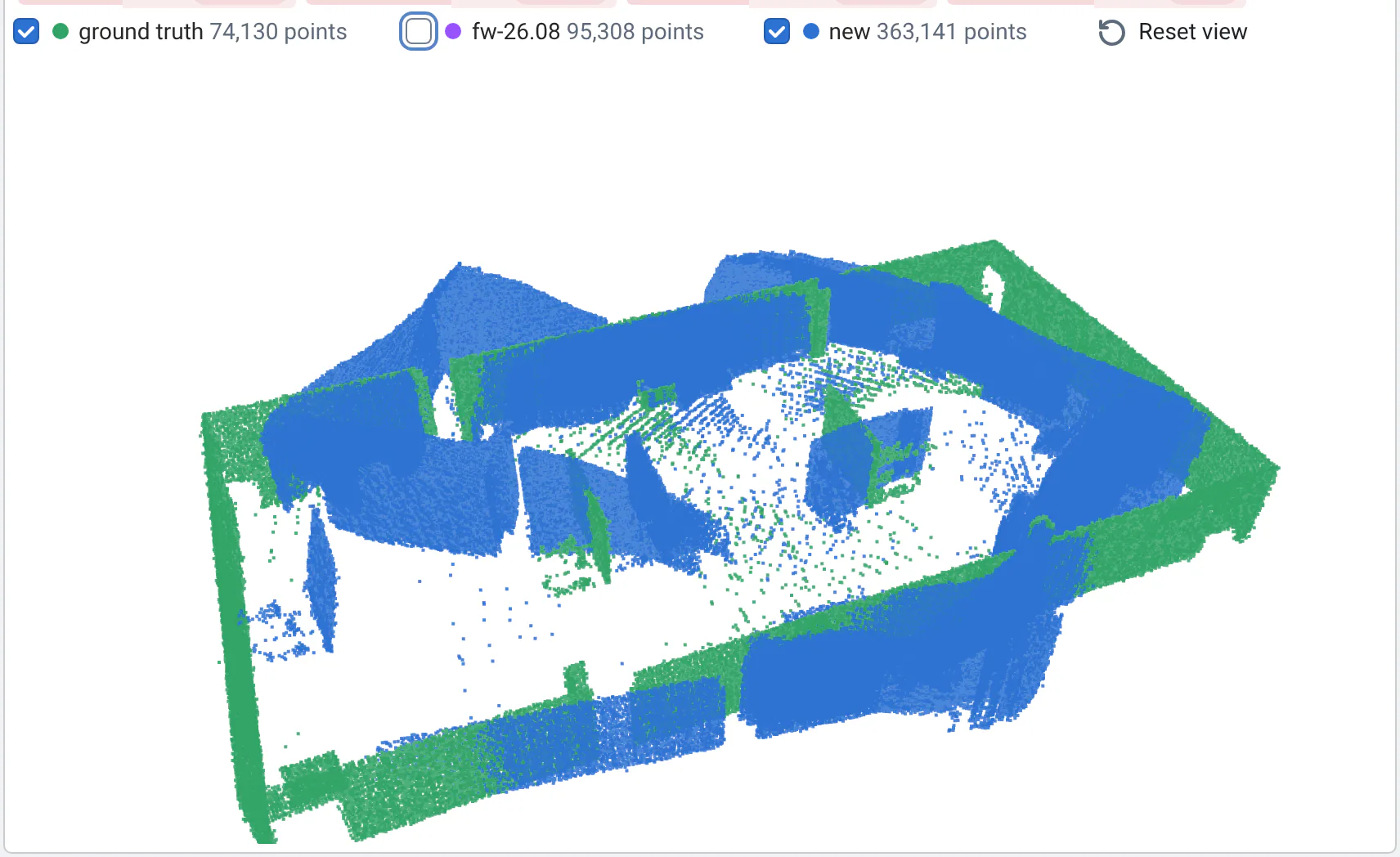
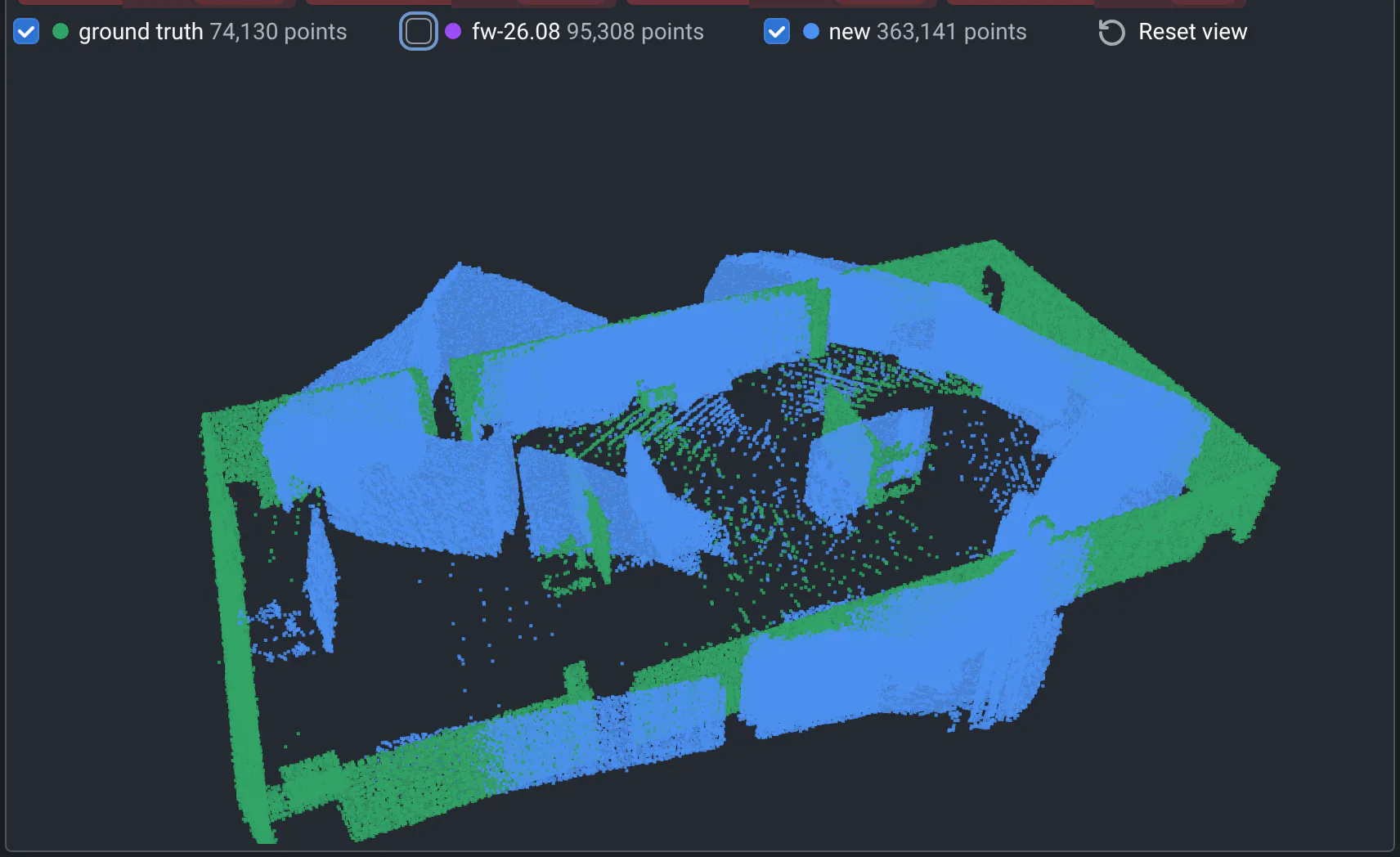
Point clouds are .pcd files, ascii or binary (not binary_compressed), with x y z fields: other fields are
ignored. The 3D viewer draws the new run's points, the reference's, and a ground truth if you have one, on the same
axes: in the colors of what people compare (blue for new, purple for the first reference), and green.
outputs:
  visualizations:
  - name: Map
    path: map.pcd                     # or a pattern, like keyframes/:id/cloud.pcd: a select picks the file
    path_groundtruth: map.truth.pcd   # optional, in the new run's folder
    point_size: 2                     # pixels
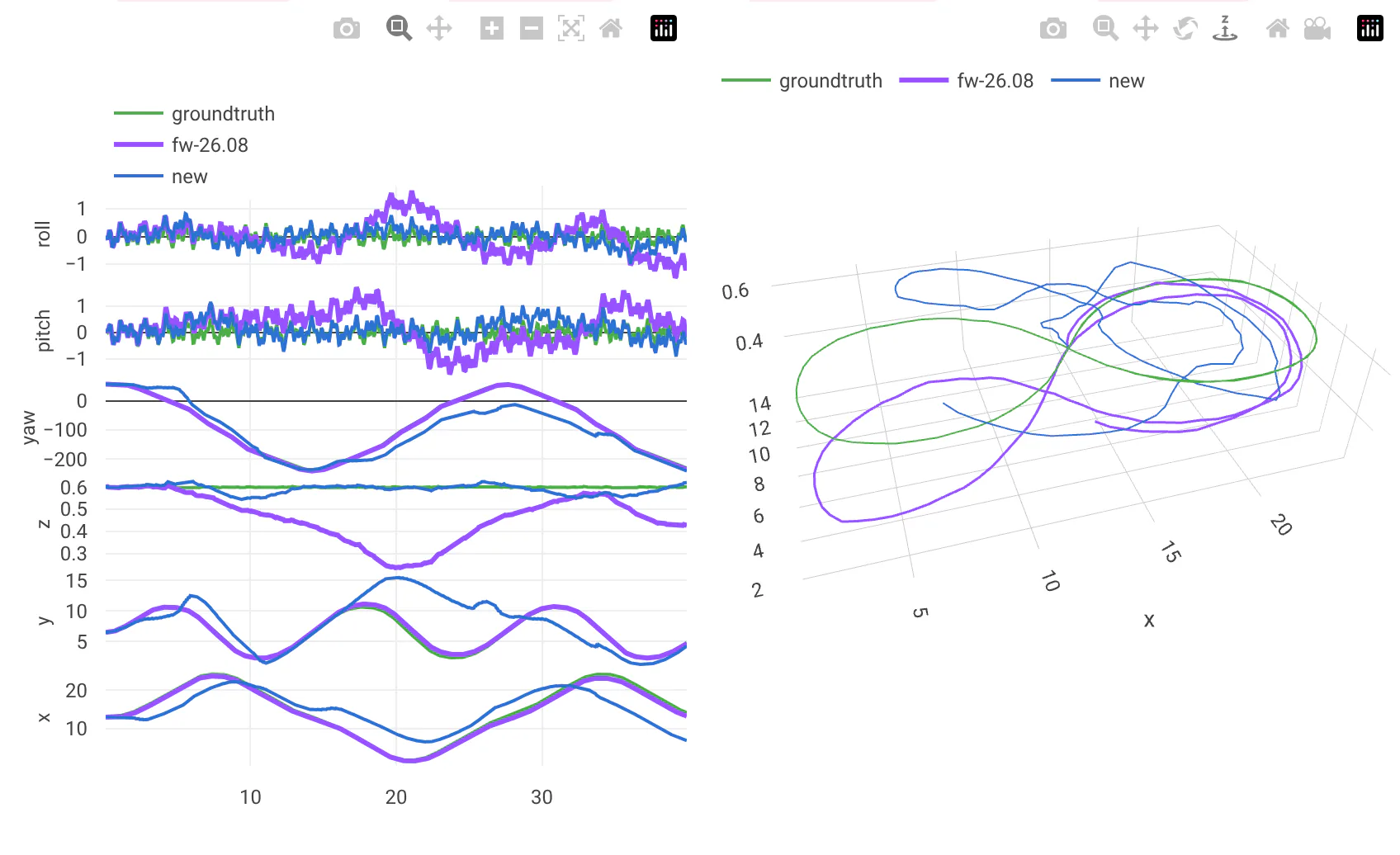
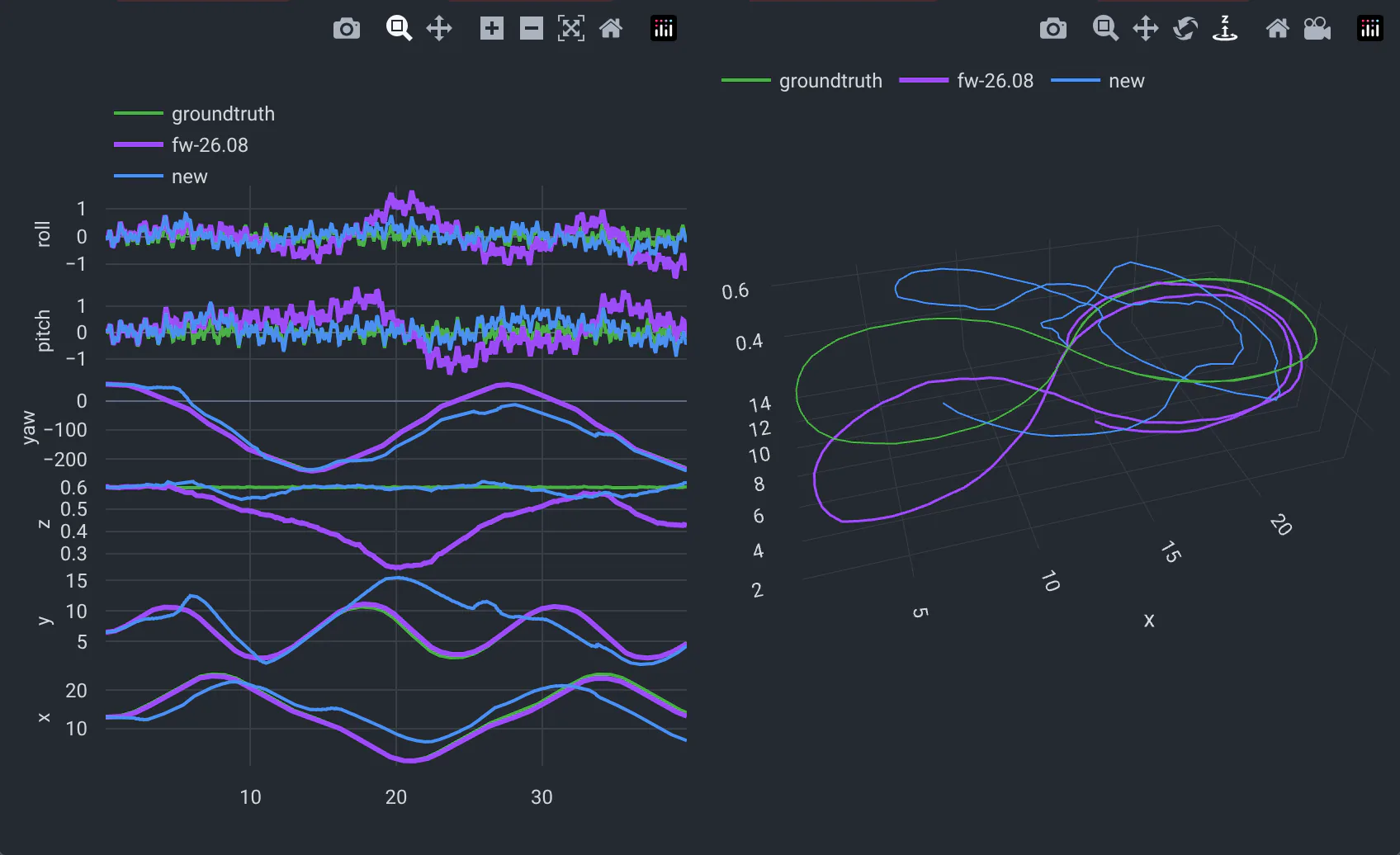
6DoF trajectories are tab-separated values with a header row: a t column (seconds), then one column per pose
value, for instance x y z yaw pitch roll or x y z q_w q_x q_y q_z. Give them type: 6dof/txt. The viewer plots
each column over time, and the path in 3D, at the same scale on every axis. It draws the reference's trajectory, and
the ground truth from GT_final.txt in the run's folder, in the same format:
outputs:
  visualizations:
  - name: Trajectory
    path: poses.tsv
    type: 6dof/txt
    show_3d: true     # default
The pointcloud/txt viewer was written for a time-of-flight camera's runs: Frame<N>/pointcloud.pcd and depth maps
for each frame listed in the run's metrics. Use pointcloud/pcd for anything else.
Write your own viewer
Viewers are React components that download a run's files and display them. They live in
webapp/src/viewers, and
OutputViewer.jsx picks one for
each visualization type. Start from an existing viewer, and run the web app's dev server as described in its
README. Contributions are welcome: if a viewer is missing,
tell us in an issue.