Artifacts
Artifacts are the files a commit needs to run again: its build, wrapper scripts, trained models or calibration data.
Your CI saves them with qa save-artifacts, in the results storage. QA-Board then uses them to redo runs and to
tune from the web app, without a checkout or a build.
Save them in CI
-
List the files in qaboard.yaml, in named groups of glob patterns:
qaboard.yamlartifacts:binary:glob: build/my-toolconfigurations:globs:- configurations/*.json- "*.yaml" -
In your CI job, save them after the build, before the runs:
makeqa save-artifactsqa batch ci
qa save-artifacts always saves qaboard.yaml, qa/, the metrics and batches files, and the .envrc files, even
without artifacts in qaboard.yaml. Patterns are relative to the project's root.
- To save only some groups:
qa save-artifacts binary. The filesqaalways saves are then left out. - To save other files:
qa save-artifacts --file 'build/*'.
Compare them with the reference's
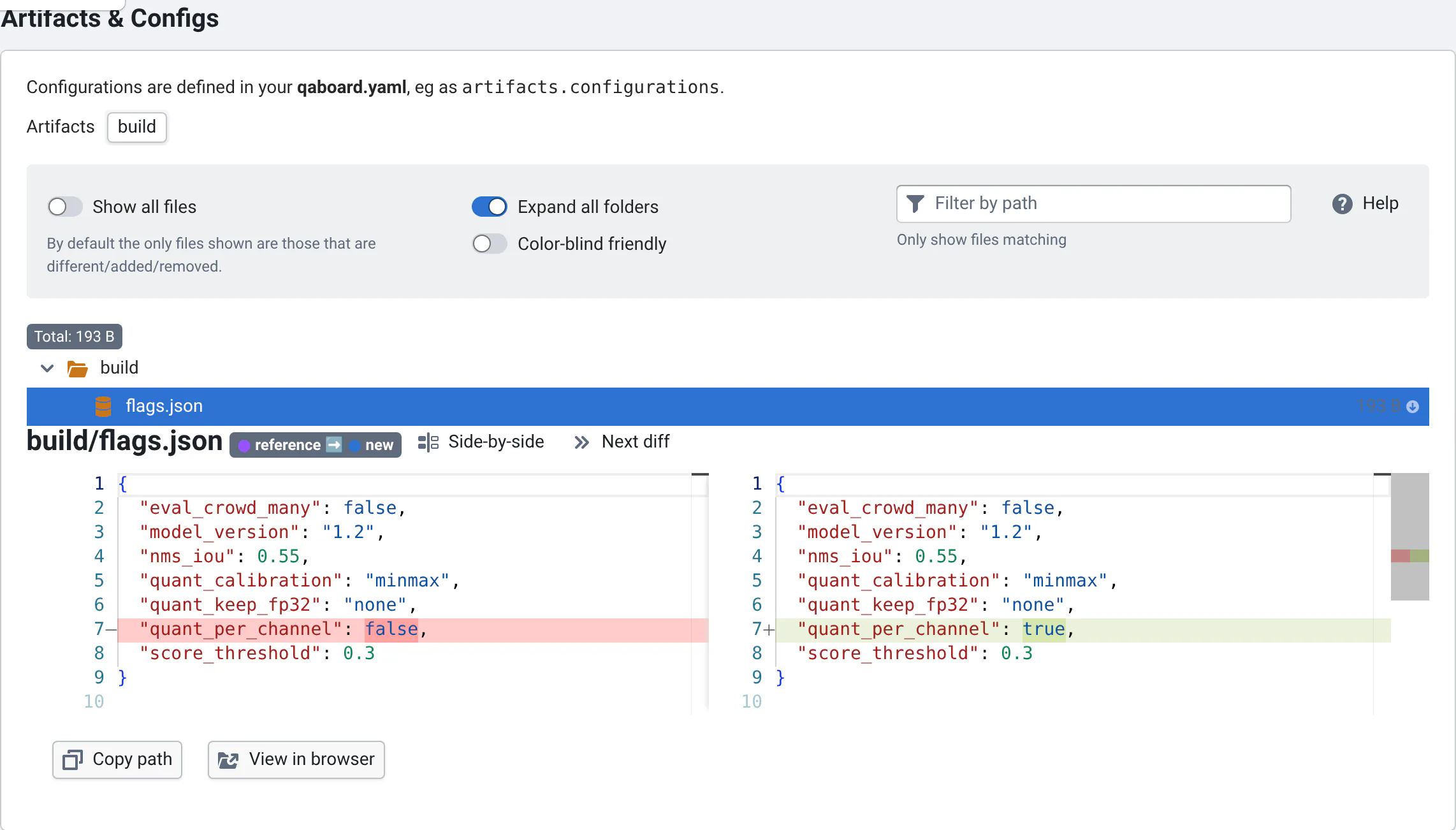
The commit page's Artifacts & Configs view compares each commit's artifacts with the reference's.
Where artifacts are saved: Where is the data saved?. When they are deleted, and how QA-Board recreates them: Deleting old data.