Robotics: odometry and mapping
For robotics, perception and automotive engineers whose outputs are trajectories, maps and sensor streams. This page follows the odometry example.
The example project is examples/robotics-3d.
The problem
An odometry change is judged on a few recorded sequences, and its effect depends on how the robot moves: a change that helps slow, careful driving can make fast turns drift. One average error over the sequences hides that, and the error alone doesn't say why: you need to see the trajectory against the ground truth, the map it built, and what the sensors saw when it went wrong, next to the reference's.
The example
A warehouse robot drives six simulated sequences: aisles, a loop around shelves, two figure-8s (one twice as fast), a docking approach and a long corridor. Its depth camera (160x120, 15 fps, 1% depth noise) and IMU (200 Hz, with drifting biases) are simulated, so the ground truth is exact. The odometry registers each depth frame to the last keyframe with point-to-plane ICP, started from the IMU's prediction; loop closures match keyframes when the robot comes back to a place, and solve a pose graph. Each run measures the absolute trajectory error (ATE), the relative pose error per meter, the drift at the end and the time per frame.
Its story:
- The first release has no loop closure.
- Loop closure lands with a threshold that accepts matches with 30% overlap: they slide along the rows of identical shelf bays, and on the figure-8s the trajectory jumps meters away. The quality gate fails; raising the threshold to 60% keeps the real loop closures, which cut the error on the loops.
- A change that trusts ICP over the IMU makes the figure-8s drift in their turns. History on the figure-8 shows the step, the gate fails, and the change is reverted.
- Keyframes every 0.6 m instead of 0.3 m make it faster and better; a tuning sweep backs the choice.
What you see
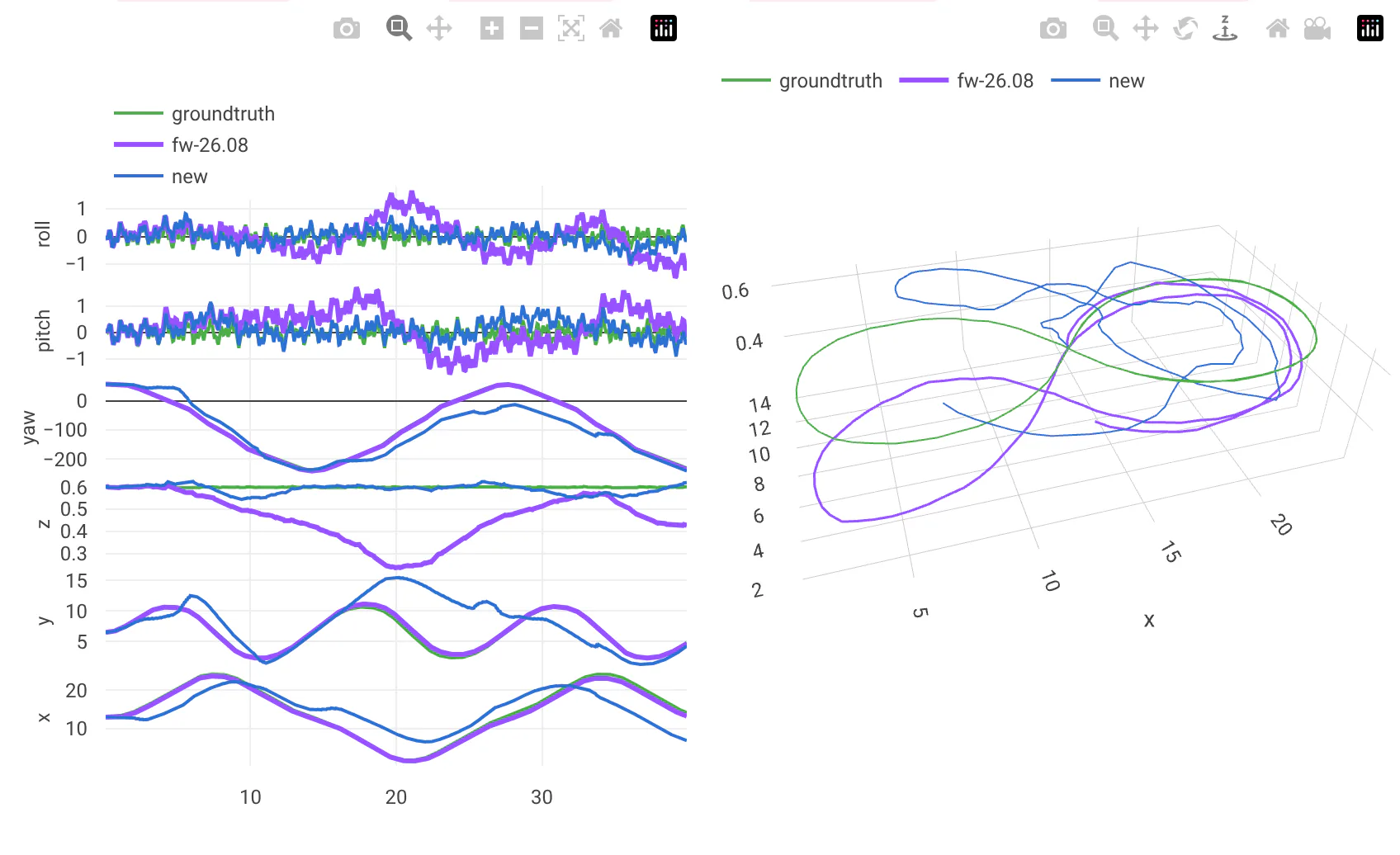
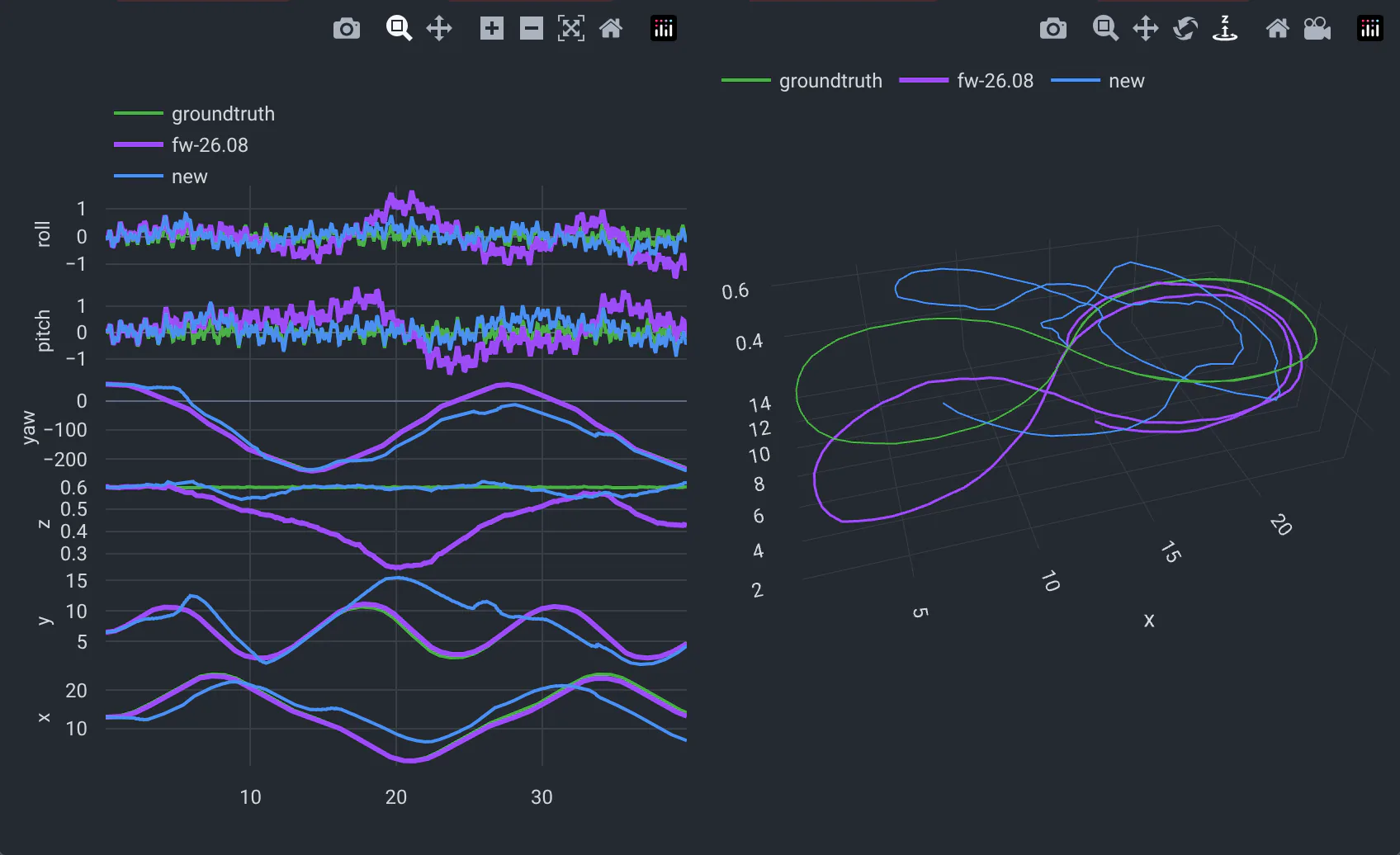
Trajectories against the ground truth: each axis over time and the path in 3D, the new run and the reference next to the ground truth in green (the legend names each line). Here a false loop closure pulls the new trajectory away.
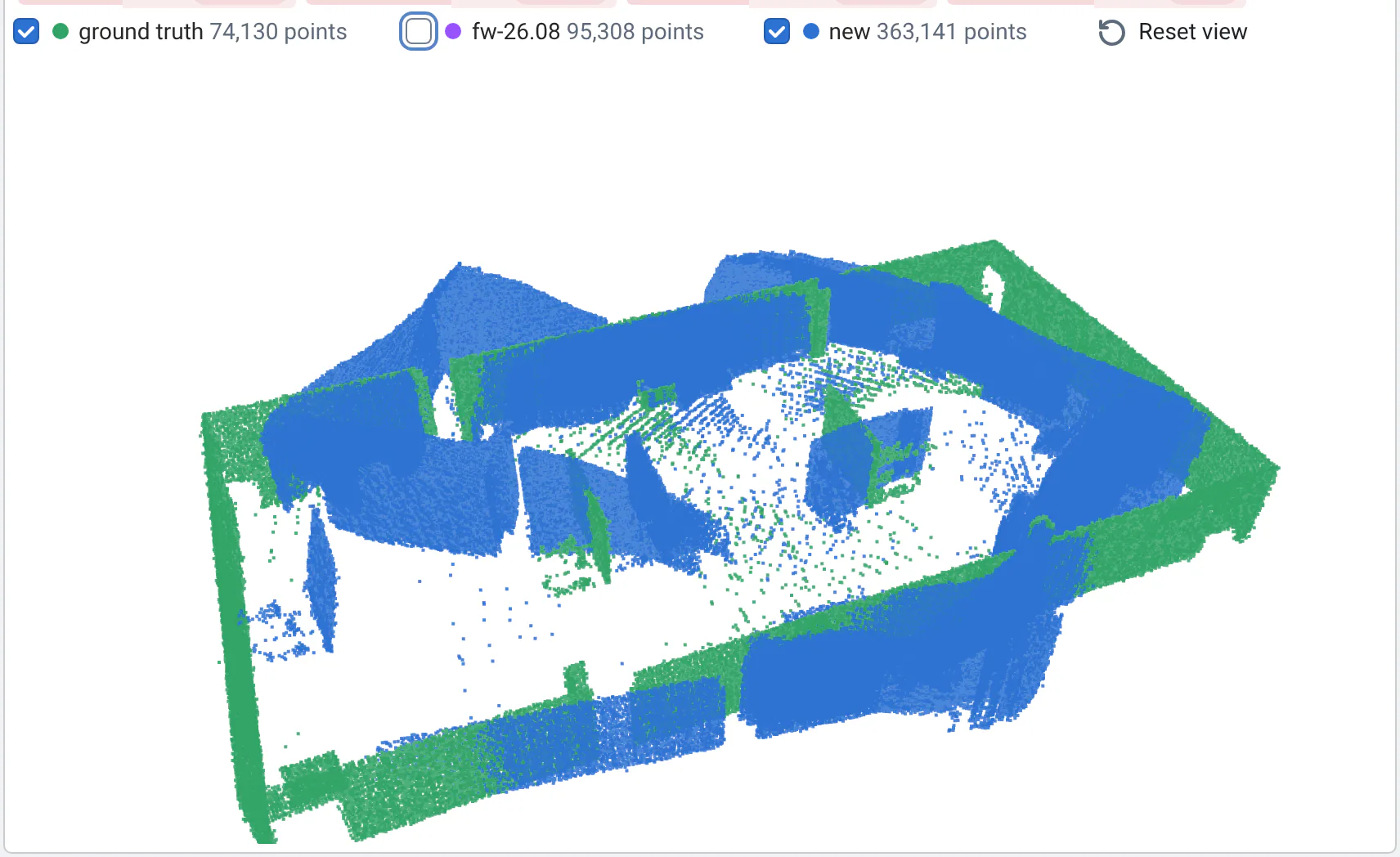
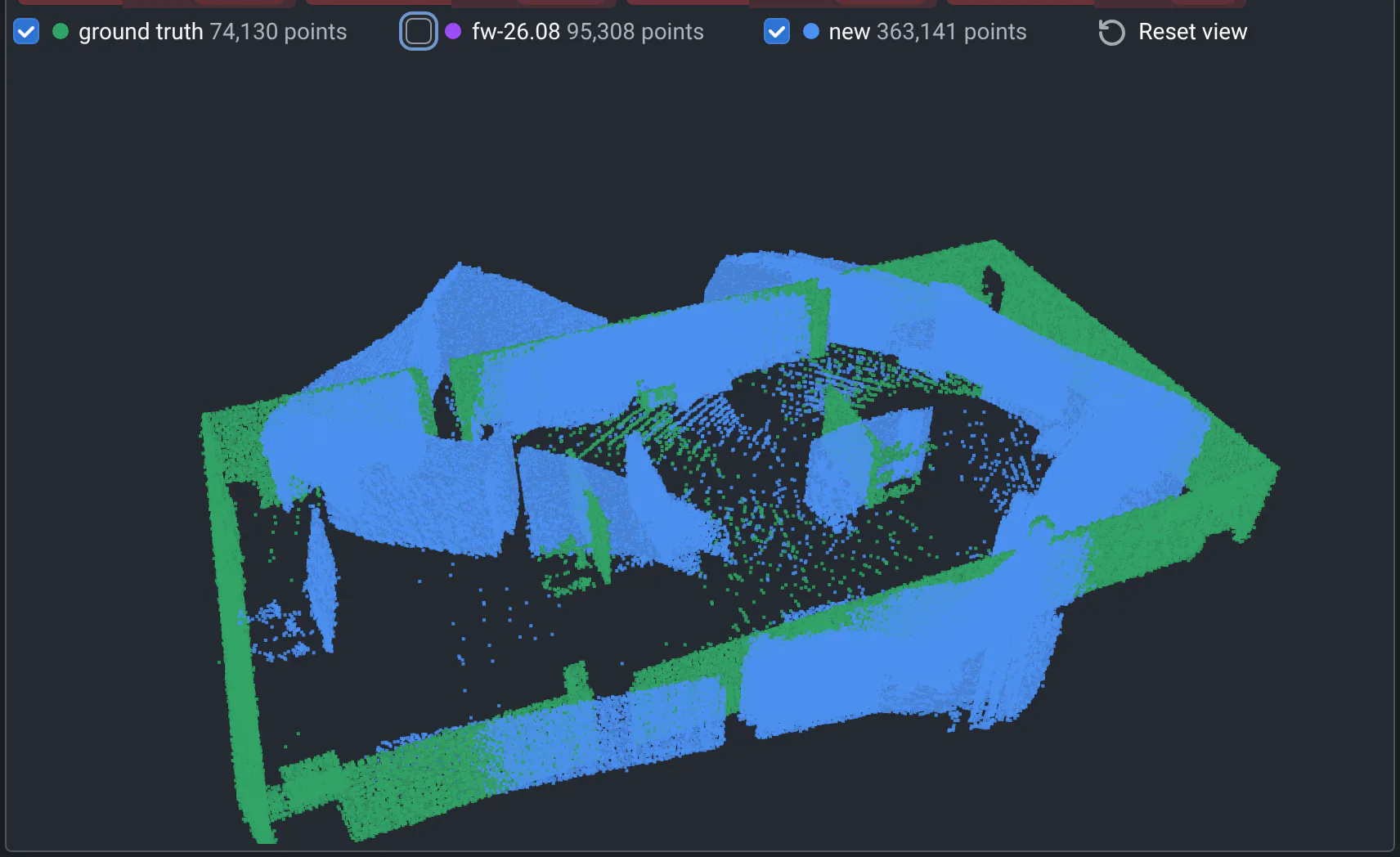
The map in 3D: the points the robot mapped, where its trajectory put them, against where they really are. Drag to orbit, show or hide each cloud.
Videos in sync: the depth camera next to the path so far, the new run's and the reference's playing together, frame by frame. The moment the new path leaves the true one is the moment to look at.
The error over time is a Plotly figure with the reference's curve dashed on the same axes, and a top-down map over the true layout is an image, compared with the image viewer. History follows the ATE of one sequence commit after commit, so the step where the figure-8 started drifting shows; see History.
The configuration
Each sequence is a folder with a sequence.yaml: the path and the warehouse's seed. The 6DoF viewer reads tab-separated
poses, with the ground truth in GT_final.txt; the point cloud viewer reads PCD files, with an optional ground truth.
inputs:
  # relative to this folder: each sequence is a folder with its sequence.yaml (and the generated truth.npz)
  database:
    linux: inputs
  globs: sequence.yaml
  use_parent_folder: true
  batches: qa/batches.yaml

outputs:
  metrics: qa/metrics.yaml
  style:
    width: 840px
  visualizations:
    - name: Trajectory
      path: poses.tsv                    # x y z and the orientation over time; the ground truth is GT_final.txt
      type: 6dof/txt
    - name: Depth camera
      path: camera.webm                  # the depth images and the path so far: played in sync with the reference
    - name: Position error
      path: ate.plotly.json              # after aligning the trajectories, with the loop closures: the reference's is dashed
      side_by_side: false
    - name: Map, from above
      path: map.png                      # the mapped points and the estimated path over the true layout
    - name: Map in 3D
      path: map.pcd                      # the keyframes' points where the odometry put them...
      type: pointcloud/pcd
      path_groundtruth: map.truth.pcd    # ...and where they really are
      default_hidden: true
    - name: Loop closures
      path: loop_closures.json
      default_hidden: true

# Experimental: may change without notice
gate:
  reference: main
  batches: [ci]
  rules:
    - {metric: ate_rmse, max_regression: 15%}                  # median over the sequences
    - {metric: ate_rmse, per_test_max_regression: 50%}         # no sequence much worse than in the reference
  max_failed_runs: 0
A run is memoized by the code, the flags, the sequence and the seed: a commit that doesn't change the odometry reuses the identical run, which keeps CI fast. Do the same for long simulations, and say so in the run's log.
Run this example
You need Python 3.10 or later and FFmpeg (for the videos). The first run generates the sequences' ground truth (about 20 s); a run takes 15-40 s.
cd examples/robotics-3d
pip install qaboard -r requirements.txt
qa run --input sequences/figure8-fast
qa batch ci                     # the 6 sequences
Without --share, results stay in output/. To see them in the web app, run qa --share batch ci. With the
quickstart's server, first
export QABOARD_URL=http://localhost:5151 QA_STORAGE=/tmp/qaboard.
See the example's README for the flags and the tuning sweep.
Read more
- Point clouds and trajectories and the video viewer: how to read and compare them.
- Viewers and file formats: the files they read.
- The quality gate: per-test rules catch one sequence getting much worse.
- Tuning from the web app.