Automated tuning with qa optimize
qa optimize searches the parameters that optimize your metrics. It runs a batch with parameters chosen by an
optimizer (Optuna), reads the metrics, picks the next parameters from what it learned, and
so on, for the number of evaluations you give it. It saves its progress: running the same experiment again
continues it.
This page is the reference, for whoever sets up a project. To start a tuning from the web app and read its results, see Find the best parameters automatically.
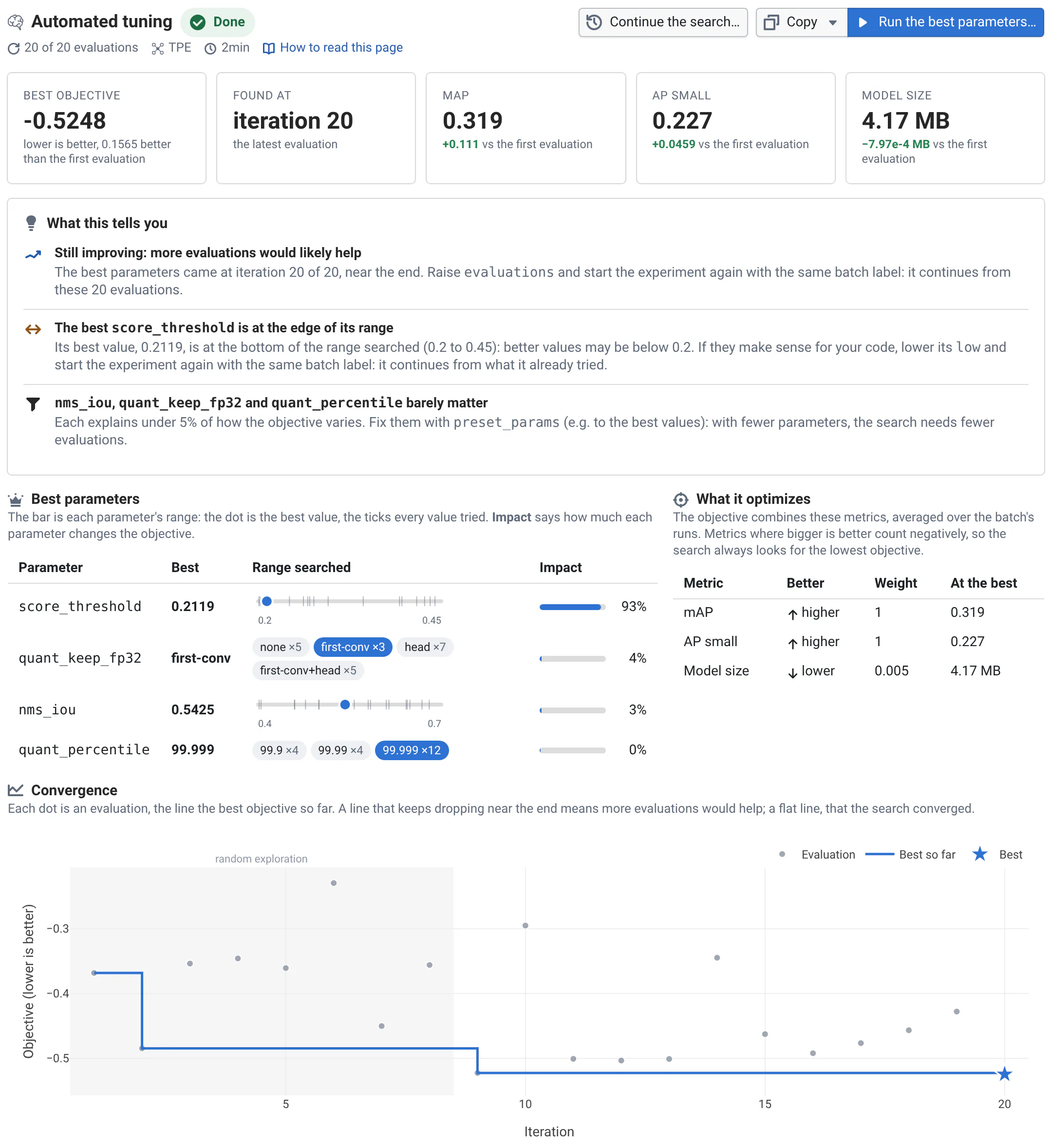
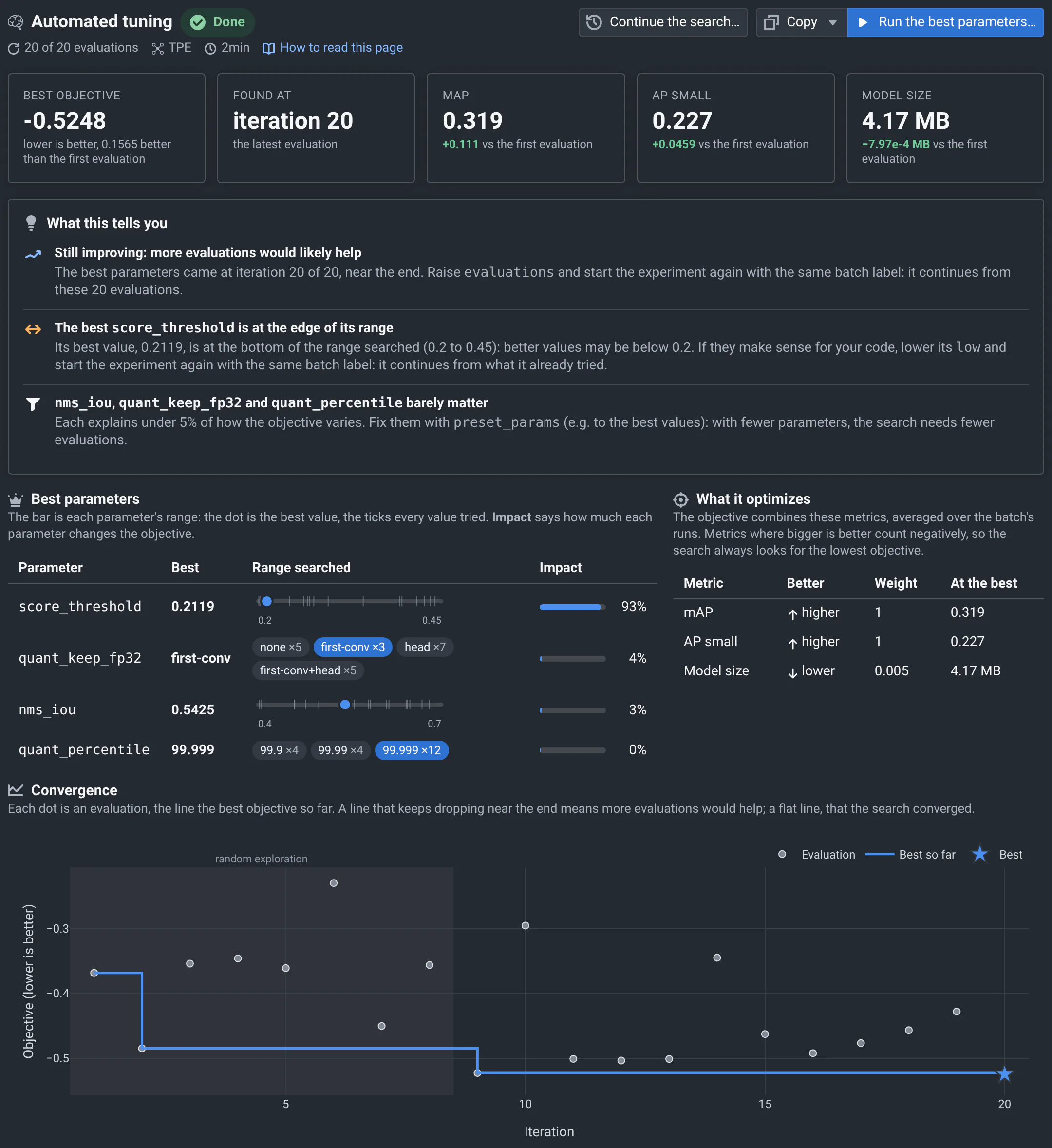
On the detector, the int8 model still lost AP on small objects against fp32, after a better calibration. An automated tuning searched the quantization and post-processing settings, 20 evaluations on the two slices where quantization hurts most, and the Tuning Analysis view showed what it found and which settings mattered:
Run an automated tuning
-
Describe the search in a YAML file: how many evaluations, the parameters and their ranges, and the objective, built from your metrics. The detector's:
qa/tune-int8.yaml# Search space and objective for tuning the int8 model with `qa optimize`:# qa --label tune-int8 optimize --batch quant-search --config-file qa/tune-int8.yaml# Each evaluation runs the quant-search batch (int8 at 320 px on the outdoor and small-objects slices) with the# parameters as tuning parameters: qa/main.py uses them over its flags. Run the same command again to resume.evaluations: 20solver:# TPE whether or not PyTorch is installed, so the story gives the same results everywheresampler: tpeseed: 42n_startup_trials: 8# Maximize AP on small objects and mAP (means over the batch's runs), and keep the model small: nodes left in fp32# make it bigger. 0.005 per MB: 2 MB more must win 0.01 of AP.objective:ap_small: maxmap: maxmodel_mb:goal: minweight: 0.005search_space:- Categorical:name: quant_percentilecategories: [99.9, 99.99, 99.999]- Categorical:name: quant_keep_fp32categories: [none, first-conv, head, first-conv+head]- Real:name: score_threshold # below 0.2, the K3 brakes for shadowslow: 0.2high: 0.45- Real:name: nms_ioulow: 0.4high: 0.7 -
Start it, on a batch of tests:
qa --share --label tune-int8 optimize --batch quant-search --config-file qa/tune-int8.yamlEach evaluation runs
qa batchwith the labeltune-int8|iterNand the chosen parameters as tuning parameters, which your code reads like any other (see how parameters reach your code).qa optimizereads each evaluation's metrics from QA-Board: from your computer,--sharesaves the runs there, as the CI does. -
Look at the results. On the commit page, select the experiment's batch,
tune-int8, then the Tuning Analysis view. The batch holds the runs of the best iteration so far.
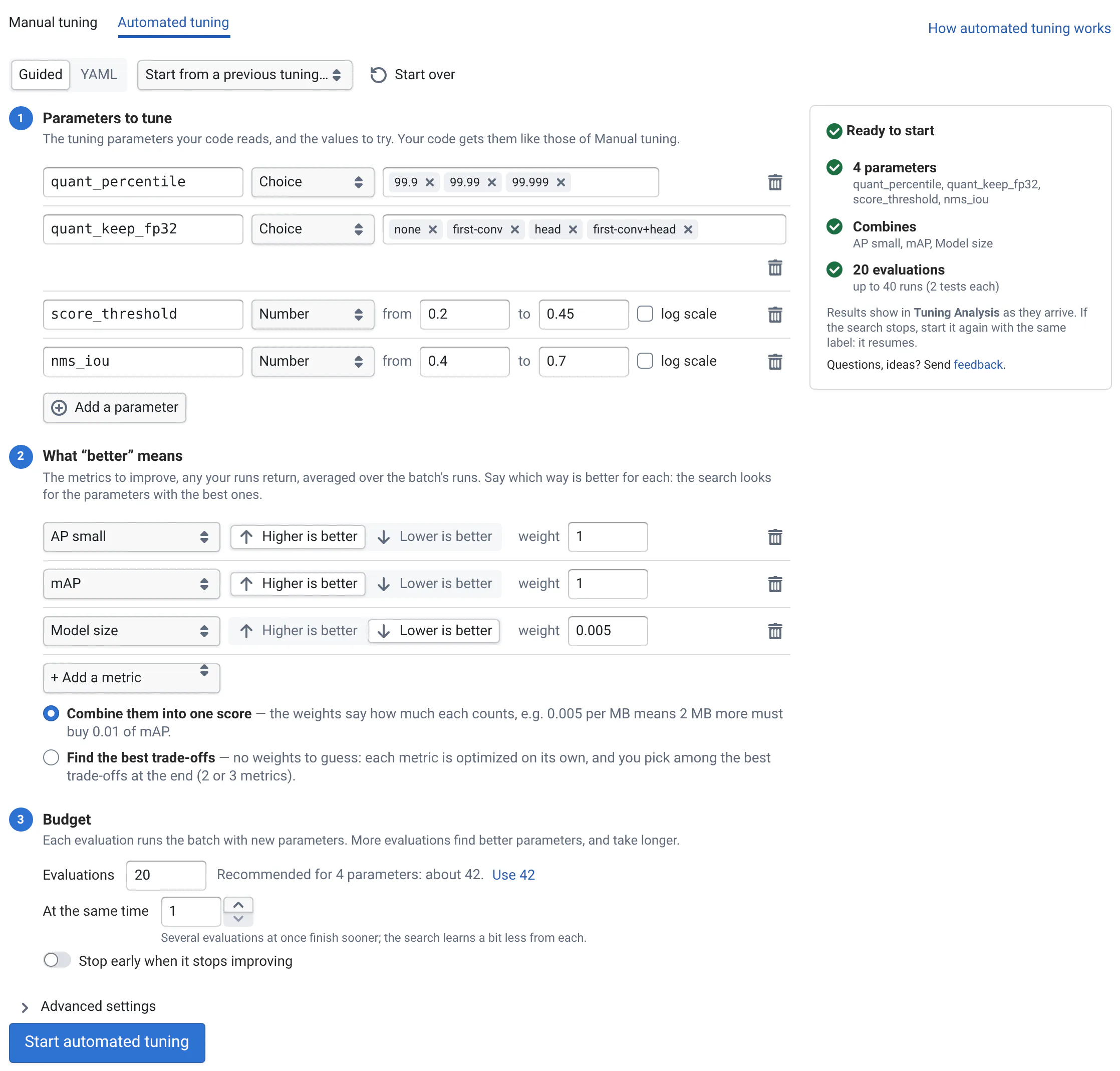
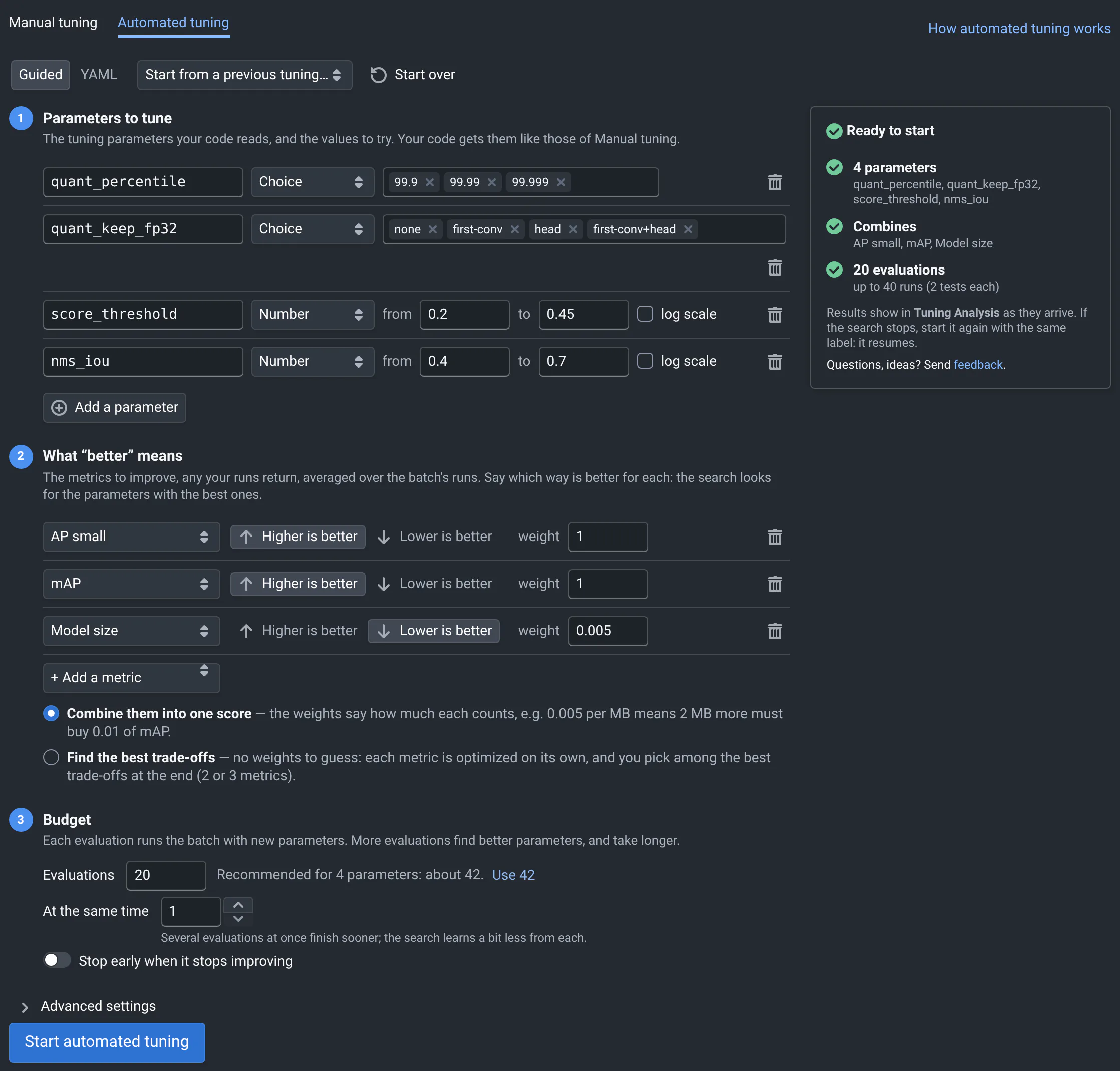
From the web app, the Automated tuning tab of Run Tests / Tuning writes the same file with a guided form, and
starts qa optimize on the commit's code:
The configuration
| Key | Default | Meaning |
|---|---|---|
evaluations | (required) | How many times to run the batch, failed evaluations included. When continuing, the total. |
search_space | (required) | The parameters to tune, see The search space. |
objective | (required) | The metrics to optimize, see The objective. |
preset_params | Parameters with a fixed value for every evaluation. | |
parallel_sampling | 1 | How many evaluations run at the same time. --parallel-param-sampling overrides it. |
early_stopping | patience: N: stop after N evaluations in a row without improvement. | |
pareto | false | true: optimize each metric of the objective on its own, and keep the best trade-offs, see Best trade-offs. |
solver | How the search picks parameters, see The solver. | |
resume | true | false: start over instead of continuing a saved search, see Resume. |
keep_all_best_iters | false | true: keep the runs of every iteration that was the best, not only the latest. |
qa optimize checks the whole file before running anything, and says what's wrong and where: a range with low
above high, a metric without a better direction, a setting it doesn't know. The web app checks it the same way as
you type.
The search space
search_space lists the parameters. Each is one of:
search_space:
  - Real:          # any value in a range
      name: score_threshold
      low: 0.2
      high: 0.45
  - Real:
      name: learning_rate
      low: 0.00001
      high: 0.1
      prior: log-uniform   # as many values between 0.001 and 0.01 as between 0.01 and 0.1
  - Integer:       # whole numbers in a range
      name: kernel_size
      low: 3
      high: 9
  - Categorical:   # a list of values, without an order
      name: quant_keep_fp32
      categories: [none, first-conv, head]
prior: log-uniform needs a low above 0. Categories are numbers, strings or booleans. A parameter is either tuned
or in preset_params, not both.
The objective
objective lists the metrics to optimize, any your runs return, and which way is better for each:
objective:
  ap_small: max      # higher is better
  map: max
  model_mb:          # with more settings
    goal: min        # lower is better
    weight: 0.005
qa optimize minimizes the objective. For each metric, it computes a loss on each run, reduces the losses over the
batch's runs, divides by the number of runs, and adds the results, each multiplied by its weight. Failed runs are
left out.
| Key | Default | Meaning |
|---|---|---|
goal | max (higher is better) or min (lower is better). ap_small: max is short for ap_small: {goal: max}. | |
weight | 1 | How much the metric counts, a positive number. |
loss | identity | The loss of one run: identity (the metric's value), shift (minus its target), relative (minus its target, divided by its target). Prefix relu_ to only count values worse than the target (relu_shift, with an optional margin), or square_ to square it. |
reduce | sum | How runs' losses combine: sum (their mean, once divided by the number of runs), relu (the sum, if it's positive), or l1, l2 (norms). |
target | The value shift and relative losses compare to. |
Without a goal, qa optimize uses what your code says where it computes the metric
(qaboard.Metric(value, smaller_is_better=...) or define_metric, see
declaring metrics), else the smaller_is_better of your
metrics file. Your code declares metrics
when it runs: qa optimize asks QA-Board again after the first evaluation. When nothing says which way is better, it
stops and says what to write: before the first evaluation if it can tell, else after it.
With shift or relative losses, the target is the metric's target in the objective, else the one your code or
your metrics file declares, or, with an objective.target section, the value of the matching run of a reference:
objective:
  ap_small:
    goal: max
    loss: shift
  target:
    branch: main     # or `id:` a commit
    batch: default   # the reference's batch
Best trade-offs
With pareto: true and two or three metrics, each metric's loss is its own objective: there are no weights to
choose. The search keeps the Pareto front, the evaluations that can't improve on one metric without losing on
another, and Tuning Analysis shows them so you pick one. The batch keeps the runs of the evaluation with the
lowest sum of the losses. With early stopping, an evaluation that changes the front counts as an improvement.
The solver
solver:
  sampler: tpe           # auto (default), gp, tpe or random
  n_startup_trials: 8    # random evaluations first, to explore (default 10)
  seed: 42               # default: $QA_SEED, else 101
sampler | |
|---|---|
auto | Gaussian processes when PyTorch is installed where qa optimize runs, TPE otherwise. |
gp | Gaussian processes: learn the most from few evaluations, the best when each one is slow. Needs PyTorch: qa optimize stops before the first evaluation without it. |
tpe | Tree-structured Parzen estimators: fast and robust, also with many parameters or categories. It models the parameters together, and spreads evaluations that run at the same time. |
random | Random parameters: a baseline to compare with. |
With the same configuration and seed, and evaluations one at a time, a search tries the same parameters as long as the metrics are the same. Tuning Analysis says which sampler a search used.
Resume
qa optimize saves the search after each evaluation, in optuna-journal.log in the experiment's batch directory, or
where --checkpoint says. It's a file Optuna writes to be safe on shared storage, where SQLite's locks aren't.
Running the same experiment again continues it:
evaluationsis the total: with 20 already done,evaluations: 30runs 10 more.- The search space can change: widen a range whose best value is at its edge, narrow ranges around the best values, add parameters. Evaluations from before are used with their parameters.
- The objective can't:
qa optimizestops, since past values would mean something else. Use another label, orresume: falseto start over. - Evaluations that were running when the search stopped are left out, and the budget runs new ones instead.
The web app starts each automated tuning with --checkpoint in the batch's directory, and Continue the search…
in Tuning Analysis fills the form to continue one.
What qa optimize saves, for scripts and integrations
- One run per evaluation in the experiment's batch, with the output type
optim_iteration: its parameters as tuning parameters, and as metrics itsiteration, itsobjective(missing if the evaluation failed) and the objective's metrics, averaged over the evaluation's runs. The web app leaves them out of the tables. - The runs of the best iteration, moved into the experiment's batch. Those of the other iterations are deleted: their parameters and metrics stay in the evaluation's run. Failed iterations' runs are kept, with their logs.
- The batch's data:
optimization: true,iterations(the budget),iteration(the latest reported),best_iter,best_params,best_metrics,optimization_status(running,done,stopped_early,failedorinterrupted),optimization_config(the search space, the objective, the sampler and the whole configuration),importances(how much each parameter explains the objective, from 0 to 1, once 8 evaluations succeeded, with 2 parameters or more),pareto_front,evaluations_completedandevaluations_failed. - During the search,
qasetsQA_OPTIM_DIRto the experiment's batch directory, for files that concern the whole search.
Evaluations are reported in order, even when they end out of order: QA-Board's server cleans up the iterations' batches up to the one reported.
From scikit-optimize
qa optimize used to search with scikit-optimize, which is no
longer maintained. search_space, objective, preset_params, evaluations, parallel_sampling and
keep_all_best_iters work as before. The solver section changed, and qa optimize stops with what to write
instead when it finds an old setting:
| scikit-optimize | Now |
|---|---|
base_estimator: GP | sampler: gp (or auto) |
base_estimator: RF, ET, GBRT | sampler: tpe |
n_initial_points | n_startup_trials |
random_state | seed |
acq_func, acq_optimizer, xi, kappa... | Removed: the samplers choose. |
A checkpoint scikit-optimize saved (--checkpoint something.pkl) can't be continued: with a .pkl path, the search
is saved next to it (something.optuna.log), from the start. Tuning Analysis draws the convergence itself:
there is no plot_convergence.png anymore.
To try parameters you choose yourself, a grid or a sample, see
tuning from the web app or qa batch --tuning-search.