User Management
QA-Board has users, admins, API tokens and an audit log. You can require signing in, and restrict who can use the
server or read some projects (see Project access and roles). Users sign in with single sign-on (OpenID Connect), LDAP, SAML or local accounts (see
Sign-in and single sign-on), and the qa CLI with qa auth login.
Admins and the admin panel
Admins see Admin in the user menu, at /admin:
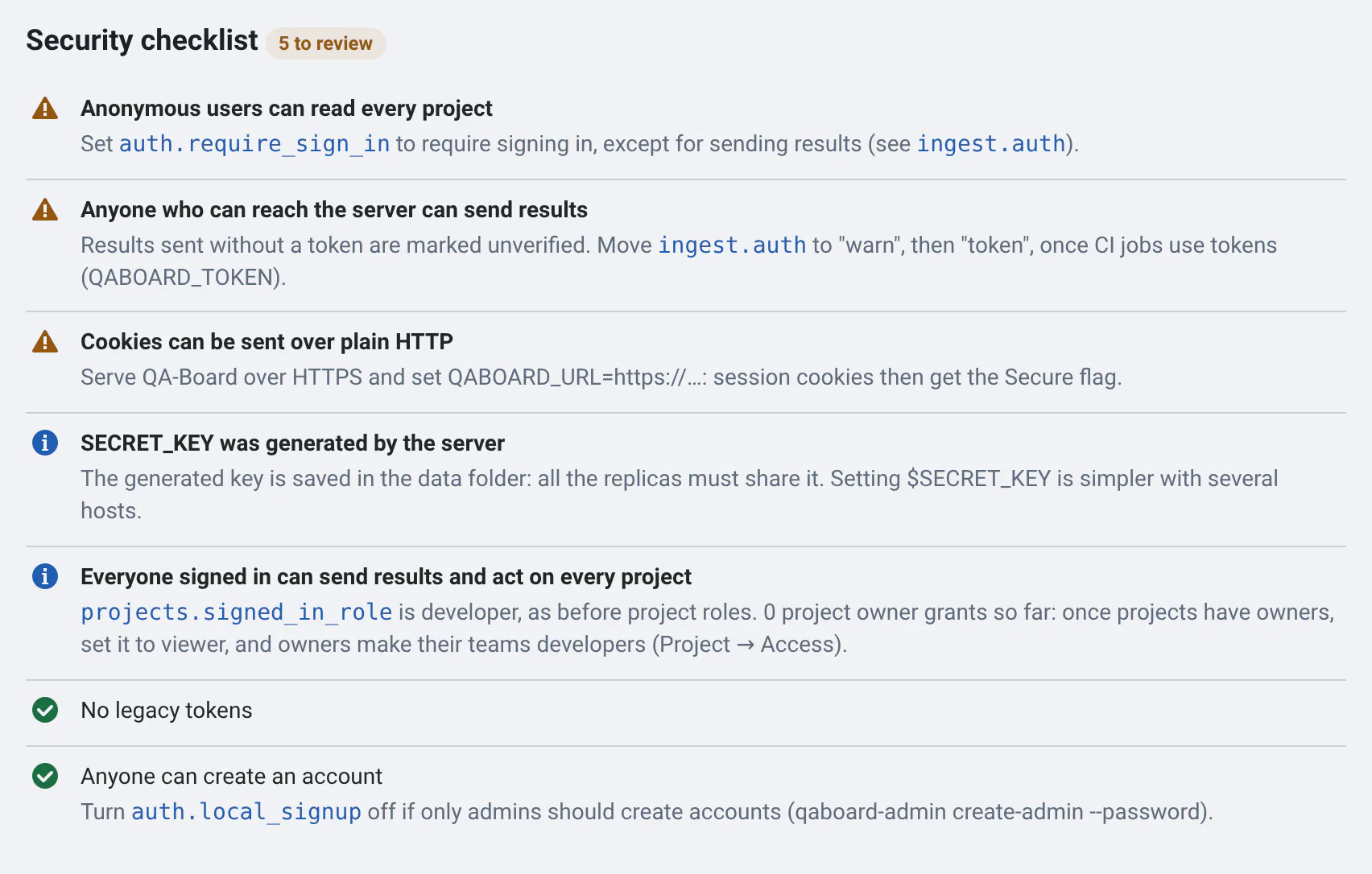
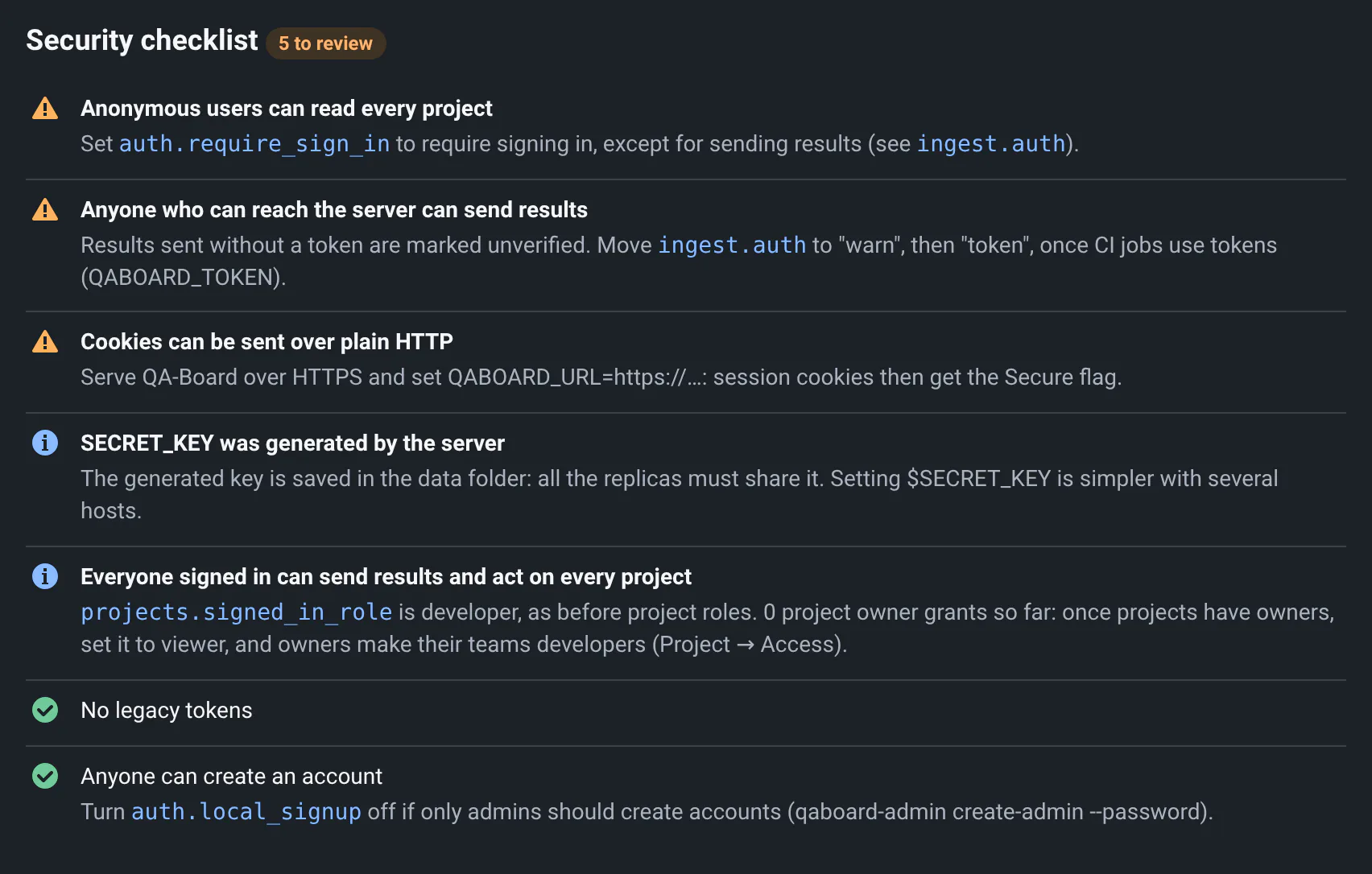
- Overview: how many users and tokens, a security checklist of what to look at next, and Get more from QA-Board: what isn't configured yet, and what the usage says.
- Usage: who uses QA-Board and how, per user, group and project, with CSV exports (see Usage analytics).
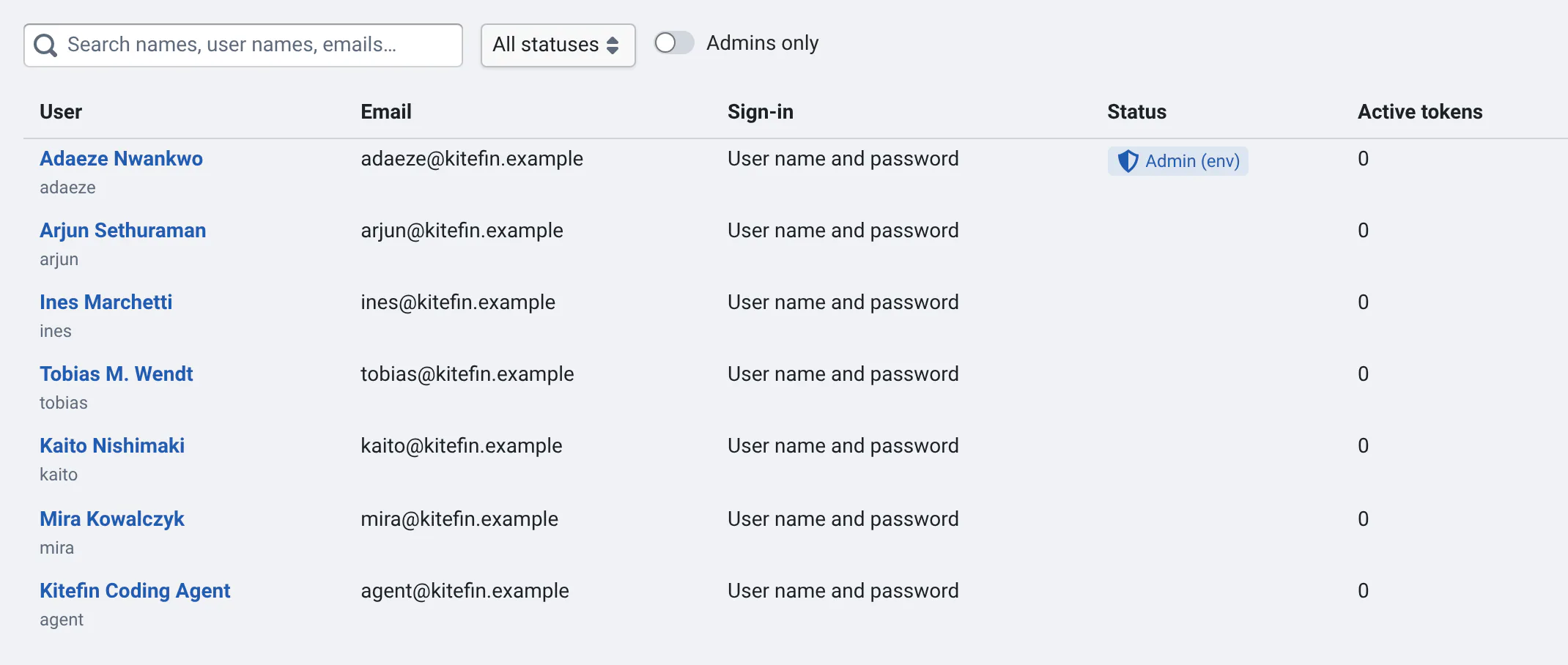
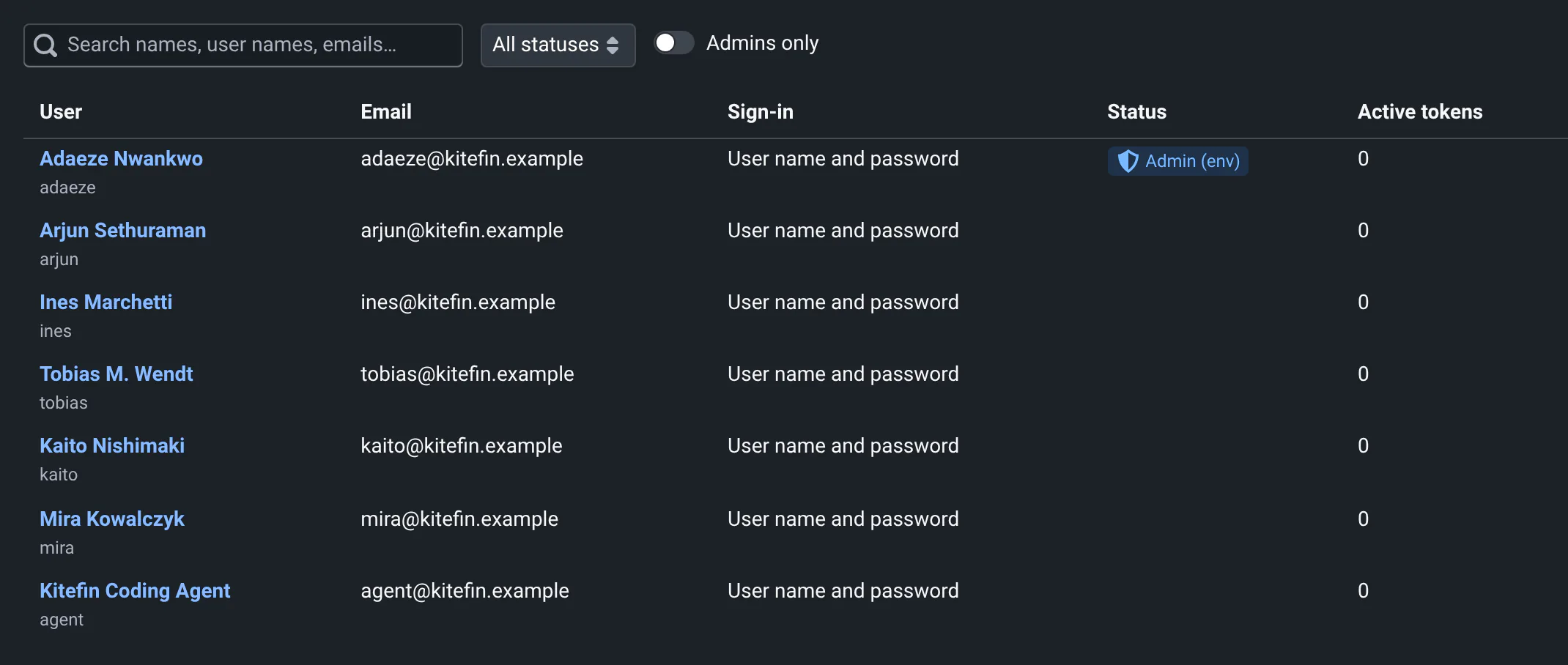
- Users: search them, see when they last signed in and their tokens, disable accounts, make admins, approve the users who wait for an admin. A disabled user's sessions and tokens stop working at their next request.
- Groups: groups of users, filled by hand or from your directory, and their roles on projects (see Project access and roles).
- Access requests: users who asked for access to a project.
- Sign-in: the sign-in providers, add OpenID Connect providers, and test them.
- Tokens: every API token, with when and from where it was last used. Revoke any of them.
- Service accounts: bots for CI and scripts, with their own tokens (see below).
- Storage: the jobs that clean the storage, and their schedules (see Cleaning the storage).
- Audit: sign-ins (and failed ones), tokens created and revoked,
qa auth loginapprovals, admin changes and setting changes, with who did it and from which IP. - Settings: change the settings below without restarting the server.
The first admins come from the environment: QABOARD_ADMINS lists user names (exactly, case included), or
verified emails: those of LDAP/SAML accounts, or of single sign-on accounts whose identity provider says the email is
verified (email_verified), comma-separated. Local accounts' emails aren't verified, and local sign-up refuses the
user names listed. With docker compose, set it in your site overlay, not in .env (see where each setting goes). They're admins whatever the
database says, and can't be disabled from the web app, so you can't lock yourself out. Admins then make other admins from the panel. From
the server, qaboard-admin does the same:
docker compose exec backend qaboard-admin create-admin alice
# a local account, for a first admin before LDAP or SAML are set up. It asks for the password, or reads it from stdin
docker compose exec backend qaboard-admin create-admin admin --password
docker compose exec backend qaboard-admin list-admins
docker compose exec backend qaboard-admin revoke-tokens bob   # e.g. after a leak
Settings
Settings are stored in the database and changed in Admin → Settings. An environment variable, when set, wins: the panel then shows the setting as "set by the environment", and you change it where you deploy.
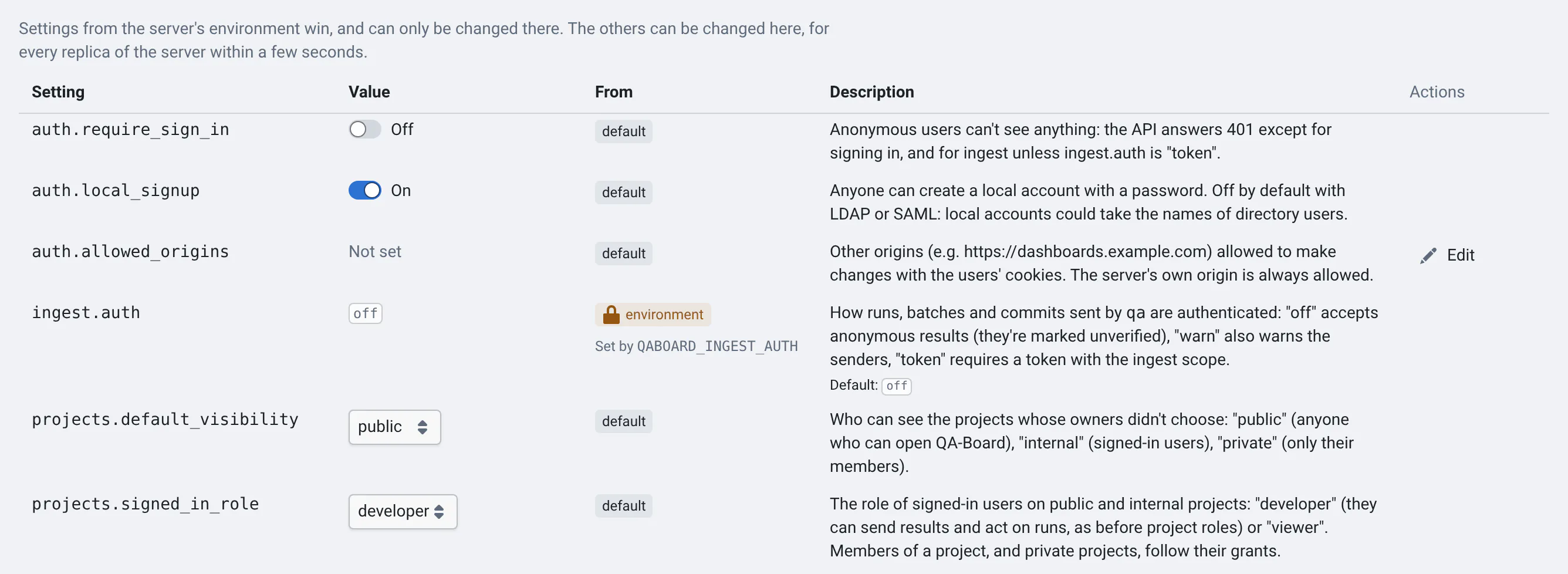
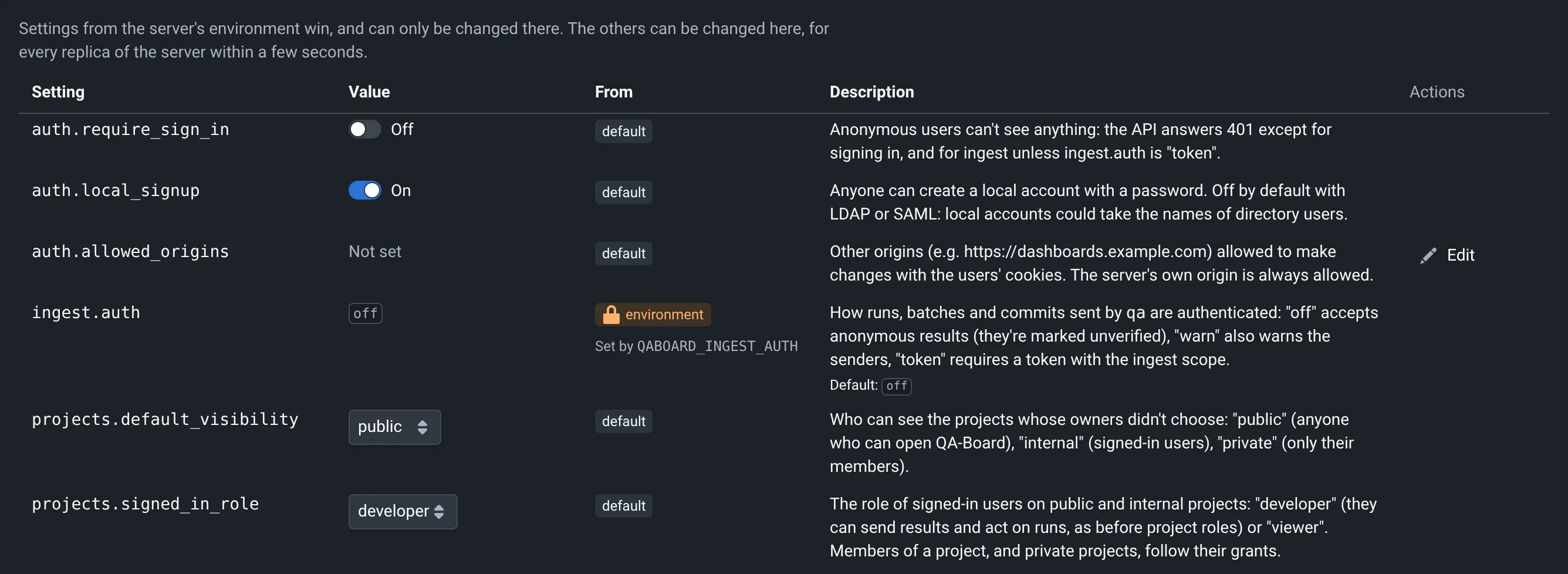
| Setting | Environment variable | Default | What it does |
|---|---|---|---|
auth.require_sign_in | QABOARD_LOGIN_REQUIRED | false | Anonymous users can't see anything (see Blocking anonymous users) |
auth.local_signup | QABOARD_DISABLE_SIGNUP (true turns it off) | on with LOCAL, off with LDAP or SAML | Anyone can create a local account with a password |
ingest.auth | QABOARD_INGEST_AUTH | off | How results sent by qa are authenticated (see Results sent by qa) |
jenkins.anonymous_jobs | QABOARD_JENKINS_ANONYMOUS_JOBS (comma-separated) | none | Jenkins jobs anyone can start without a token, for now (see Jenkins jobs started without a token) |
auth.allowed_origins | QABOARD_ALLOWED_ORIGINS (comma-separated) | none | Other websites allowed to make changes with users' cookies |
tokens.default_lifetime_days | 90 | The default lifetime of the tokens users create | |
tokens.max_lifetime_days | none | The longest lifetime users may choose. Empty: tokens may never expire | |
tokens.cli_idle_expiry_days | 180 | Tokens created by qa auth login expire after this many days without use | |
audit.retention_days | 730 | qaboard-admin purge-audit deletes older audit events | |
auth.access_policy | QABOARD_ACCESS_POLICY | open | Who gets an account: open, domains, approval (see Decide who gets an account) |
auth.allowed_email_domains | QABOARD_ALLOWED_EMAIL_DOMAINS | none | With domains: the email domains whose users get an account right away |
auth.access_request_webhook | QABOARD_ACCESS_REQUEST_WEBHOOK | none | A Slack, Teams or Mattermost incoming webhook told when users wait for an admin |
auth.sso_auto_redirect | QABOARD_SSO_AUTO_REDIRECT | false | The sign-in page goes straight to the only single sign-on, when signing in is required |
sessions.idle_days | 30 | Browser sessions end after this many days without activity | |
sessions.max_days | 180 | Browser sessions end after this many days in any case (365 at most) | |
projects.default_visibility | QABOARD_DEFAULT_VISIBILITY | public | The visibility of projects whose owners didn't choose (see Project access and roles) |
projects.signed_in_role | QABOARD_SIGNED_IN_ROLE | developer | The role of signed-in users on public and internal projects: viewer or developer |
Empty environment variables count as unset.
Authentication Providers
QABOARD_LOGIN_TYPE chooses the password accounts, or SAML:
LOCAL(the default): accounts stored in QA-Board's database.LDAP: your directory's accounts, with the settings below.SAML: single sign-on with SAML.
Single sign-on with OpenID Connect comes on top of any of them: see Sign-in and single sign-on.
Local accounts always work, for admins created with qaboard-admin create-admin --password.
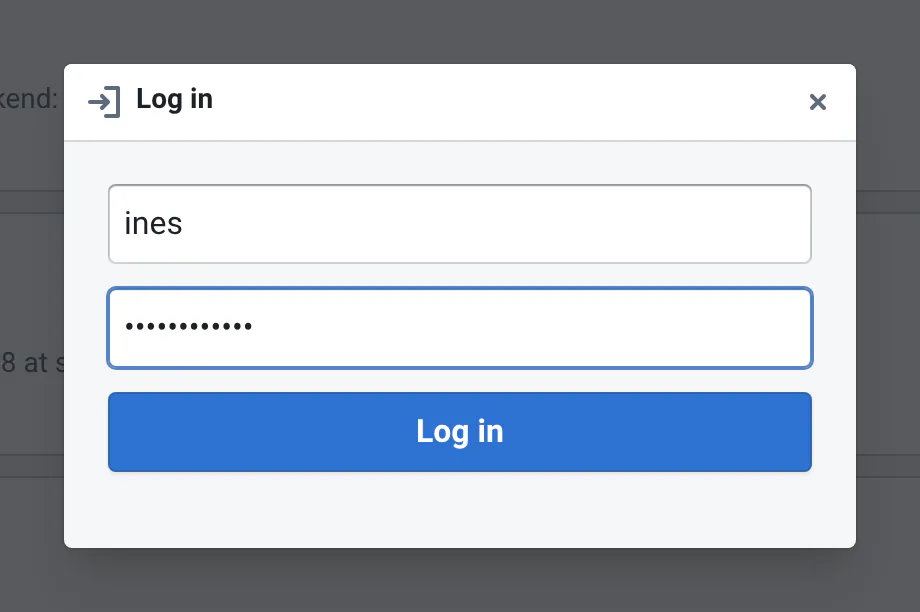
Users sign in from the Sign in button at the top right of the web app: it shows the single sign-on buttons, then a
user name and password form for LOCAL and LDAP.
Local accounts are created:
-
by users, with Create one on the sign-in page, when
auth.local_signupis on (the default withLOCAL), -
by admins, with
qaboard-admin create-admin <user_name> --passwordin the backend's container (it also makes them admins), -
by scripts, with the sign-up endpoint, when
auth.local_signupis on:curl -d "user_name=<user_name>&password=<password>&email=<user_email>&full_name=<user_full_name>" -X POST '<qaboard_url>/api/v1/user/signup/'
Environment variables
With docker compose, set them in services.backend.environment in your site overlay (see deployments/example.yml),
and the passwords in .env, which the backend reads. QABOARD_LOGIN_TYPE, QABOARD_LOGIN_REQUIRED,
QABOARD_LOGIN_RESTRICTED, QABOARD_LOGIN_RESTRICTED_YAML, QABOARD_ADMINS and QABOARD_INGEST_AUTH don't work
in .env with deploy.py: docker-compose.yml sets them from your env file (see
where each setting goes). To apply changes, deploy again:
deploy.py <env file> up recreates the backend, without downtime.
The sign-in policy is set via environment variables such as QABOARD_LOGIN_*, QABOARD_LDAP_*, QABOARD_SAML_*, as described below:
| ENV Variable | Default | Usage |
|---|---|---|
QABOARD_LOGIN_TYPE | LOCAL | Set to LOCAL/LDAP/SAML |
QABOARD_ADMINS | empty | User names of admins, or verified emails (LDAP/SAML accounts, single sign-on with email_verified), comma-separated |
QABOARD_LOGIN_REQUIRED | empty | true blocks anonymous users, false allows them. Empty: as set in the admin panel (auth.require_sign_in) |
QABOARD_DISABLE_SIGNUP | empty | true disables the signup of LOCAL users, false enables it. Empty: as set in the admin panel (auth.local_signup) |
QABOARD_COOKIE_SECURE | empty | true sends session cookies only over HTTPS. It's automatic when QABOARD_URL starts with https:// |
QABOARD_TRUSTED_PROXY_HOPS | 0 | How many proxies in front of QA-Board's nginx add the client to X-Forwarded-For, e.g. 1 behind a Kubernetes ingress or a load balancer. The audit log uses it to find users' IPs: with 0, it's the address nginx sees. |
QABOARD_LOGIN_RESTRICTED | empty | true uses a configuration file to allow only specific users (empty, false or 0 turn it off) |
QABOARD_LOGIN_RESTRICTED_YAML | none | The path to the users configuration file |
QABOARD_LDAP_HOST | none | Server hostname (including port), or a URL: ldaps://ldap.example.com:636 for LDAP over TLS |
QABOARD_LDAP_PORT | 389 | Server port, usually 389 (636 with ldaps://) |
QABOARD_LDAP_START_TLS | false | true upgrades the connection to TLS (StartTLS) |
QABOARD_LDAP_USER_BASE | none | Search base for users. |
QABOARD_LDAP_BIND_DN | none | The Distinguished Name to bind as, this user will be used to lookup information about other users. |
QABOARD_LDAP_PASSWORD | none | The password to bind with for the lookup user. |
QABOARD_LDAP_USER_FILTER | none | User lookup filter, the placeholder {login} will be replaced by the user supplied login. (e.g. (&(objectClass=inetOrgPerson)(|(uid={login})(mail={login}))), or (&(objectClass=user)(|(sAMAccountName={login})))) |
QABOARD_LDAP_ATTRIBUTE_EMAIL | ||
QABOARD_LDAP_ATTRIBUTE_COMMON_NAME | cn | |
QABOARD_LDAP_GROUP_ATTRIBUTES | memberOf | The attributes group rules can read, separated by commas, e.g. memberOf,department |
QABOARD_LDAP_NESTED_GROUPS | false | Active Directory: true adds the groups of users' groups to memberOf (LDAP_MATCHING_RULE_IN_CHAIN) |
QABOARD_LDAP_GROUP_BASE | QABOARD_LDAP_USER_BASE | Where to search the nested groups |
QABOARD_SAML_DIR | none | The path to the directory with the SAML configuration files, as in the python-saml docs |
QABOARD_SAML_ATTRIBUTE_EMAIL | none | |
QABOARD_SAML_ATTRIBUTE_COMMON_NAME | none | |
QABOARD_SAML_ATTRIBUTE_USER_NAME | none | |
QABOARD_SAML_ATTRIBUTE_ID | none |
Blocking anonymous users
To block anonymous users, who are not signed in, from accessing any content on QA-Board, turn on auth.require_sign_in
in Admin → Settings (or set QABOARD_LOGIN_REQUIRED=true). The API then answers 401 to anonymous requests, except
to sign in and for the results sent by qa (unless ingest.auth is token). Files under /s/ too, when nginx checks
who can read them (see Restricting who can read files).
Anonymous users who open the web app are sent to the sign-in page, and come back to the page they opened once signed in.
Before turning it on, give a token with the read scope (QABOARD_TOKEN) to the CI jobs and scripts that read
results: qa gate, qa check-bit-accuracy, qa optimize, and qa batch with --action-on-existing other than
run, which needs the batch's past runs. Sending results keeps working without a token, unless ingest.auth is
token. Users run qa auth login once.
API tokens
Users create tokens in Settings → Access tokens, or with qa auth login (see Signing in from the CLI).
- Tokens look like
qab_pat_…: secret scanners can recognize them, and a checksum rejects typos. The server only stores a hash, and shows a token once. - Scopes limit what a token can do:
read,ingest(send results),act(redo runs, start or delete batches, save milestones),admin(the admin API, for admins). A token can also be restricted to some projects (group/repo,group/*). It never has more rights than its user has. - Tokens expire after
tokens.default_lifetime_daysunless users choose otherwise, andtokens.max_lifetime_dayscaps it. Tokens ofqa auth loginexpire aftertokens.cli_idle_expiry_dayswithout use. - Requests with a token that can't be used get a 401 saying why (unknown, revoked, expired...). Tokens in
?token=URLs are only accepted to read: URLs end up in access logs. - Tokens created before October 2026 keep working, as legacy tokens:
read,ingestandact, no expiry. The security checklist counts them: ask their owners to replace them.
Service accounts
Service accounts are users that only have tokens: CI and scripts use them instead of someone's token, so they keep working when people leave, and runs show they were sent by a bot.
- The server's, in Admin → Service accounts, for admins: named like
nightly[bot], with a role on all projects or none. Projects' owners add them to their projects as members. - A project's, in the project's Access tab, for its owners: named like
group/repo/ci[bot], with a role on the project. Their tokens only reach the project and the projects under it, whatever grants they're given elsewhere.
Their tokens look like qab_svc_…, with the same scopes (except admin), expiry and policy as users' tokens, and
only browser sessions create them. Service accounts can't sign in, are never admins, and are counted as CI in
batches' origins. Deleting one revokes its tokens and removes its roles; its name stays taken, so runs keep saying who
sent them. Like any signed-in user, they get projects.signed_in_role on internal and public projects.
The API: GET/POST /api/v1/service-accounts (?project=group/repo for a project's), POST and DELETE /api/v1/service-accounts/<id> (its role), and POST /api/v1/service-accounts/<id>/tokens, DELETE /api/v1/service-accounts/<id>/tokens/<token id>.
Results sent by qa
Until now, anyone who could reach the server could send results. ingest.auth (or QABOARD_INGEST_AUTH) decides:
off(the default): results without a token are accepted. They're shown as unverified: the user name they carry ($QA_USERor the Unix login) is only what they claim.warn: the same, andqaprints a warning asking users to runqa auth login.token: results must be sent with a token with theingestscope, for the project.
With a valid token, runs, batches and commits record who really sent them, and the web app shows it. Move from off
to warn to token once your CI jobs have tokens (QABOARD_TOKEN, see CI integration).
In every mode, a token that can't be used (unknown, expired, revoked, for other projects) is refused, and the results
aren't saved: qa says why and what to do, and in CI, qa run and qa batch fail.
Jenkins jobs started without a token
The server starts Jenkins builds with its own Jenkins credentials (JENKINS_AUTH). Callers without a token, like
qa's Windows runner or scripts that call /api/v1/jenkins/build/trigger, can only start the jobs listed in a
project's qaboard.yaml (runners.jenkins.build_url, or a Jenkins integration). Other jobs need a token with the
act scope (or ingest, with the project), see Authentication.
While scripts move to tokens, jenkins.anonymous_jobs (or QABOARD_JENKINS_ANONYMOUS_JOBS=ALGO,nightly) lets anyone
start the jobs whose path (/job/...) contains one of the texts, case-sensitive (* allows every job on the
JENKINS_AUTH hosts). Their callers get a warning in the X-QABoard-Warning header, the audit log records the builds,
and the admin checklist reminds you to empty it. It has no effect when ingest.auth is token.
Security
- Session cookies are
HttpOnlyandSameSite=Lax, andSecurewhenQABOARD_URLishttps://…. - Changes made with cookies must come from QA-Board's own pages: other websites can't make users' browsers change
things (add exceptions to
auth.allowed_origins). - Signing in, signing out, failed sign-ins, tokens and admin changes are in the audit log. It never contains passwords or tokens.
Restricting sign-in
To allow only specific users to sign-in, set the environment variables:
QABOARD_LOGIN_RESTRICTED=trueQABOARD_LOGIN_RESTRICTED_YAML=path/to/users_restrict.yml
The YAML file specifies multiple cases where users will be accepted. It can be based on the user name, email, or any parameter from the authentication provider (or users table in the database).
Example:
login:
  # only users with one of those emails will be able to login
  email:
  - mr.nobody@example.com
  - user3@example.com

  # those users will also be allowed to login
  user_name:
  - john.doe
  - jane.doe

  # here we can use SAML/LDAP attributes to restrict based on the rank, job position...
  data:
    http://sso.company.com/2023/11/CompId:
    - C123
    - C777
    http://sso.company.com/2023/11/GrdName:
    - Staff
    - Team Leader
Managing Projects
Owners now manage who can access their projects from the web app: see Project access and roles. The file below keeps working: its projects are private, and the users its rules match are their developers.
If you need to restrict a project so that only specific users have access, you can configure this in the configuration file.
Example:
projects:
  # restricting a namespace
  my_namespace:
    # only users with one of those emails will be able to access projects that are under the namespace "my_namespace", but not to "my_namespace/proj1"
    email:
    - mr.nobody@example.com
    - user3@example.com

    # those users will also be allowed to access projects that are under the namespace "my_namespace", but not to "my_namespace/proj1"
    user_name:
    - john.doe
    - jane.doe

    # here we can use SAML/LDAP attributes to restrict based on the rank, job position...
    data:
      http://sso.company.com/2023/11/CompId:
      - C123
      - C777
      http://sso.company.com/2023/11/GrdName:
      - Staff
      - Team Leader

  # restricting a project
  my_namespace/proj1:
    # only users with one of those emails will be able to access proj1
    email:
    - mr.nobody@example.com

    # those users will also be allowed to access proj1
    user_name:
    - john.doe
If both a 'namespace' and a 'project' are set, the project will take priority. For example for the following "namespace/project", you can restrict the specific project to a certain group and restrict the namespace to a larger group.
A full configuration file that has both 'login' and 'project' restrictions will look like this:
login:
  # only users with one of those emails will be able to login
  email:
  - mr.nobody@example.com
  - user3@example.com

  # those users will also be allowed to login
  user_name:
  - john.doe
  - jane.doe

  # here we can use SAML/LDAP attributes to restrict based on the rank, job position...
  data:
    http://sso.company.com/2023/11/CompId:
    - C123
    - C777
    http://sso.company.com/2023/11/GrdName:
    - Staff
    - Team Leader

projects:
  # restricting a namespace
  my_namespace:
    # only users with one of those emails will be able to access projects that are under the namespace "my_namespace", but not to "my_namespace/proj1"
    email:
    - mr.nobody@example.com
    - user3@example.com

    # those users will also be allowed to access projects that are under the namespace "my_namespace", but not to "my_namespace/proj1"
    user_name:
    - john.doe
    - jane.doe

    # here we can use SAML/LDAP attributes to restrict based on the rank, job position...
    data:
      http://sso.company.com/2023/11/CompId:
      - C123
      - C777
      http://sso.company.com/2023/11/GrdName:
      - Staff
      - Team Leader

  # restricting a project
  my_namespace/proj1:
    # only users with one of those emails will be able to access proj1
    email:
    - mr.nobody@example.com

    # those users will also be allowed to access proj1
    user_name:
    - john.doe
Restricting who can read files
nginx serves the output and artifacts files under /s/, and by default anyone who can reach the server can read them. You can restrict them in two ways, and combine them:
- Restricted projects: with
QABOARD_LOGIN_RESTRICTED, only the users allowed to see a project read its files. - Unix permissions: in some folders, like
/home, users only read what their own Unix account can read.
In both cases, nginx must ask the backend before sending files: add include snippets/qaboard-files-auth.conf; to all the /s/ locations of your nginx configuration (with the helm chart, set proxy.restrictFiles: true). Files can be reached from several locations through symlinks: the backend checks where links lead, but only for the locations that ask it.
In the file browser, users who are not signed in see Sign in to see these files, others You don't have access. Scripts can authenticate with an API token: curl -H "Authorization: Bearer <token>" https://qaboard/s/...
Restricted projects
The projects restricted in users_restrict.yml also restrict their files: the outputs and artifacts folders from the projects' storage in qaboard.yaml. If needed, you can also restrict other folders under paths, with the same rules as projects:
paths:
  /mnt/qaboard/confidential:
    user_name:
    - john.doe
  # The most specific folder wins. With no rules, anyone can read it
  /mnt/qaboard/confidential/public: {}
Unix permissions
Set QABOARD_FILES_UNIX_PERMISSIONS to the folders where it applies, separated by : (e.g. /home:/mnt/users). There, users read a file only if their Unix account could: it must be allowed to read the file, and to traverse the folders above it. Users who are not signed in only read what everyone can read.
- The backend finds users' accounts by their QA-Board user name: see Users' accounts. Users without an account get the permissions of "others".
- ACLs are ignored.
Users' accounts
The file browser, storage scans, exports and jobs show who owns each file, Unix permissions need users' groups, and exports of copies, like deletions of others' files, are made as the files' users. The backend reads the accounts in its own /etc/passwd and /etc/group. If you have complete files, mount them.
With a directory service (LDAP, SSSD, NIS...), you usually don't: the backend can instead run a command that prints the accounts, in the /etc/passwd format, and another one for the groups (/etc/group format). For instance, through ssh to a host that sees your users:
QABOARD_ACCOUNTS_COMMAND=ssh qaboard@some-host getent passwd
QABOARD_GROUPS_COMMAND=ssh qaboard@some-host getent group
- The backend runs them in the background when their last output is older than
QABOARD_ACCOUNTS_REFRESHseconds (default: a day), and keeps it in$QABOARD_DATA_SHARED_DIR/accounts: one run serves all the backend's workers and replicas. To refresh now, delete that folder'spasswd. - If a command fails, or prints less than half of the accounts it printed last time, the backend keeps the previous accounts, and tries again 10 minutes later. Errors show in its logs (
[accounts]). - Only lines in the right format count: ssh banners (sent to stderr) and messages printed by shell startup files are ignored.
- Accounts the commands don't know are looked up in
/etc/passwdand/etc/group. Owners that neither knows show asuid 2041. - Storage scans wait for the accounts before they start. Owners that earlier scans saved as
uid 2041get their names once the accounts know them. - With SSSD,
getent passwdalone only lists all users if enumeration is enabled (enumerate = true), which is often not the case. Check the number of lines, or use a command that queries the directory itself, e.g.ldapsearch, formatted asname:x:uid:gid:gecos:home:shell. - The command runs with the backend's environment, e.g. the ssh key used for the LSF bridge, and its own user's permissions.
- nginx asks the backend before sending each file. It answers quickly, without database queries for public files, but if the backend is down, nginx doesn't serve files.
- Sub-projects share the storage of their git repository: restricting a sub-project restricts the files of the whole repository.
- With a folder per user in the storage (e.g.
outputs: /mnt/qaboard/outputs/{user}), the project's folder is restricted in every user's folder. - Results of restricted projects saved outside of their storage (e.g.
--shareto another folder) are not restricted, unless you list their folders underpaths. The backend readsusers_restrict.ymlwhen it starts, and the projects' folders every 5 minutes. - The image server (IIIF) and the API endpoints that read images don't check permissions. Their paths are hard to guess (they contain commit hashes), but whoever knows one can see its images.
- WebDAV (services/nginx/webdav.conf) doesn't check them either: it's not enabled by default.