The gate on pull requests
Show the quality gate's verdict where the change is reviewed: a commit status that branch protection can require, and one comment on the pull request (GitLab: merge request) with the gate's tables, updated on each push. The CI job's exit code stays the verdict; these only report it.
qa gate's options and the comment's content may change without notice, like the rest of the
quality gate.
Post the verdict on the pull request
-
Give the job a token that can write:
- GitHub Actions:
GITHUB_TOKEN, withstatuses: writeandpull-requests: writein the workflow'spermissions. - GitLab CI: a project access token with the
apiscope, role Developer or more, as a masked CI/CD variable namedGITLAB_ACCESS_TOKEN.
- GitHub Actions:
-
Add the options to
qa gate:qa gate --post-status github --post-comment githubgitlabfor GitLab. The quality gate's CI examples have both. -
Check the setup without posting, from the job or your clone:
qa --dryrun gate --post-status github --post-comment githubIt prints, on stderr, the status and the comment it would post, and on which pull request: a new comment, or the one it would update (see try it without posting).
-
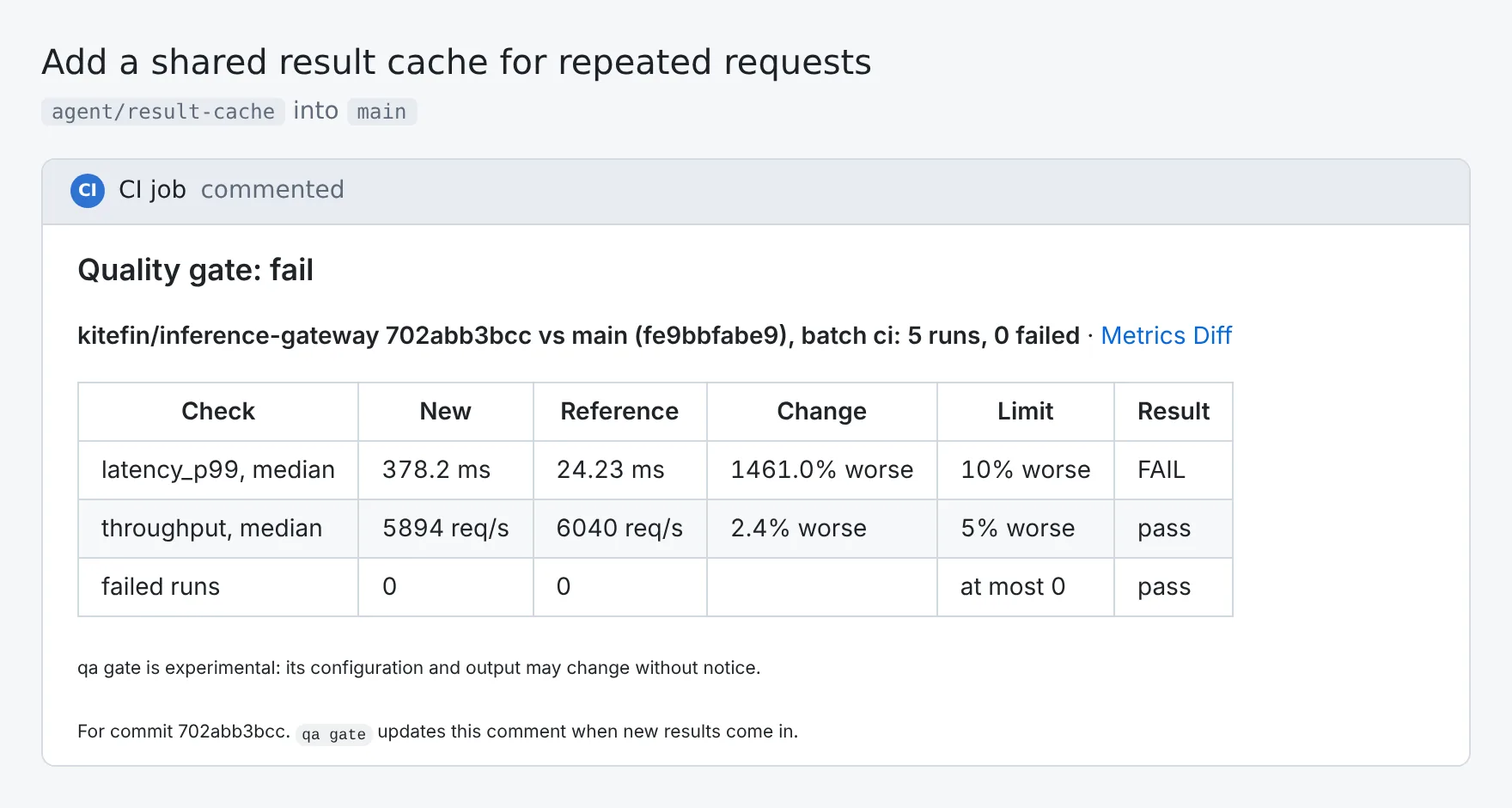
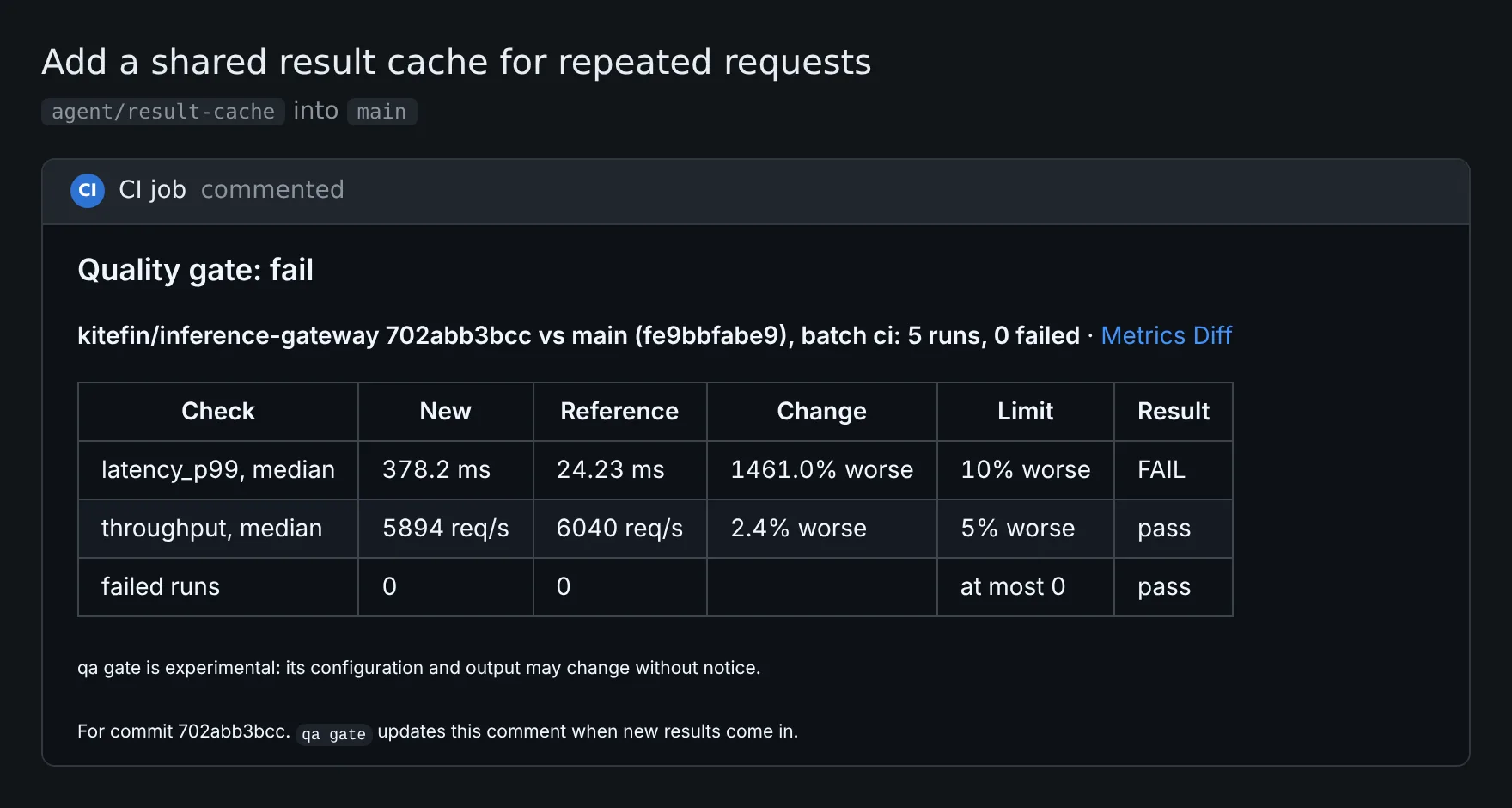
Push a commit that has an open pull request. The comment shows up, with the gate's table and a link to the Metrics Diff. Later runs edit it: reviewers read one comment, about the latest results.
A commit without an open pull request, like a push to your main branch, gets no comment and no warning. Failing to comment never changes the exit code.
What the comment says
The comment has the verdict, the gate's table, and the link to the Metrics Diff, like the terminal's output and the GitHub Actions job summary. It also says what a reviewer should know and that doesn't change the verdict:
- Runs that were done again. "3 runs were done again: 1 passed after a failed attempt", then each of them with how its earlier attempts ended. A result that took several tries may be a flaky test or a retried CI job: the earlier attempts' metrics are on the run's attempt tag, and their logs in the Logs view (see run cards).
- Rules that changed. When the commit's
gate:rules differ from those of the reference's qaboard.yaml, the comment lists them, e.g.psnr, median, max regression: 1% → 5% (looser). Loosening a rule can be the right call, and it's also the cheapest way to make a red gate green, for people and coding agents alike: it should be seen. Project owners can make it fail the gate instead (see rules a commit can't change). - Project rules are marked
[project rule].
Several jobs, one comment
When several jobs run qa gate on the same commit, e.g. one for the CI's results and one for qa --label nightly,
they share the comment: it has a section per label. Each run replaces the sections of the labels it checked, and
keeps the others.
- The title is the verdict over all the sections: fail if one fails, else undecidable if one is, else pass. With several sections, a line lists each label's verdict: CI: pass · nightly: fail.
- The first
qa gateof a new commit starts the comment again: sections about an earlier commit are removed. - The rules that changed, and the commit the comment is about, are written by the latest run.
- Two jobs that finish at the same moment can overwrite each other's section:
qa gatereads the comment again right before writing, but not atomically. The commit status of each job keeps its own verdict. - In a subproject, the gate has its own comment and its own status.
Commit statuses
--post-status posts a commit status named qaboard/gate (qaboard/gate/<subproject> in a
subproject), that links to the Metrics Diff. Require it in your branch protection rules
if you like: the job's exit code already acts as a check.
- GitHub:
success,failure, orerrorwhen the gate can't decide. - GitLab:
success, orfailed.
With on: pull_request, GitHub Actions runs on a temporary merge commit (GITHUB_SHA): qa uses the pull request's
last commit instead, for the results and the status. Check it out too, see
GitHub Actions. on: push is usually enough.
Try it without posting
qa --dryrun gate --post-comment github prints the comment it would post, and on which pull request (a new comment,
or the one it would update), on stderr, without writing anything. --post-status prints the status it would post.
It still reads from GitHub or GitLab to find the pull request and the comment, when the token is there. Without one,
it prints the comment, and says why it couldn't look the pull request up.
Which pull requests, tokens and hosts
- GitHub:
qa gatereads the repository and the API's URL fromGITHUB_REPOSITORYandGITHUB_API_URL, that GitHub Actions sets (GitHub Enterprise included). Withon: pull_request(orpull_request_target), the comment goes to the event's pull request; withon: push, to the open pull requests GitHub lists for the commit, drafts included, three at most. Pull requests from forks get a read-only token:qa gatewarns, and the table is still in the job's summary. - GitLab: in GitLab CI,
qa gateusesCI_API_V4_URLandCI_PROJECT_ID. Elsewhere it usesGITLAB_HOST(defaulthttps://gitlab.com) and the project's name from qaboard.yaml. In merge request pipelines the comment goes to that merge request (CI_MERGE_REQUEST_IID), in the project it targets when the pipeline runs in a fork; otherwise to the open merge requests GitLab lists for the commit, three at most. qa gatefinds its comment by a hidden marker at its start: comments that quote it are left alone. When the token can't edit the comment posted before, e.g. another token wrote it,qa gateposts a new one: keep the same token.- Names of tests, metrics, labels and batches are shown as text: Markdown, HTML and
@mentionsin them do nothing. - Very long comments are cut section by section, so that every label keeps its table.
- Requests to GitHub and GitLab are tried once more when they answer 429 (too many requests), a rate limit, or a server error. Not when the wait they ask for is over a minute, and a request that creates a comment isn't sent again after a server error: it could post it twice.
Where to go next
- Quality gateWrite the rules, and run the gate in CI.
- User guideSet a project's gate rules
Rules no commit can change, set by the project's owners in the web app.